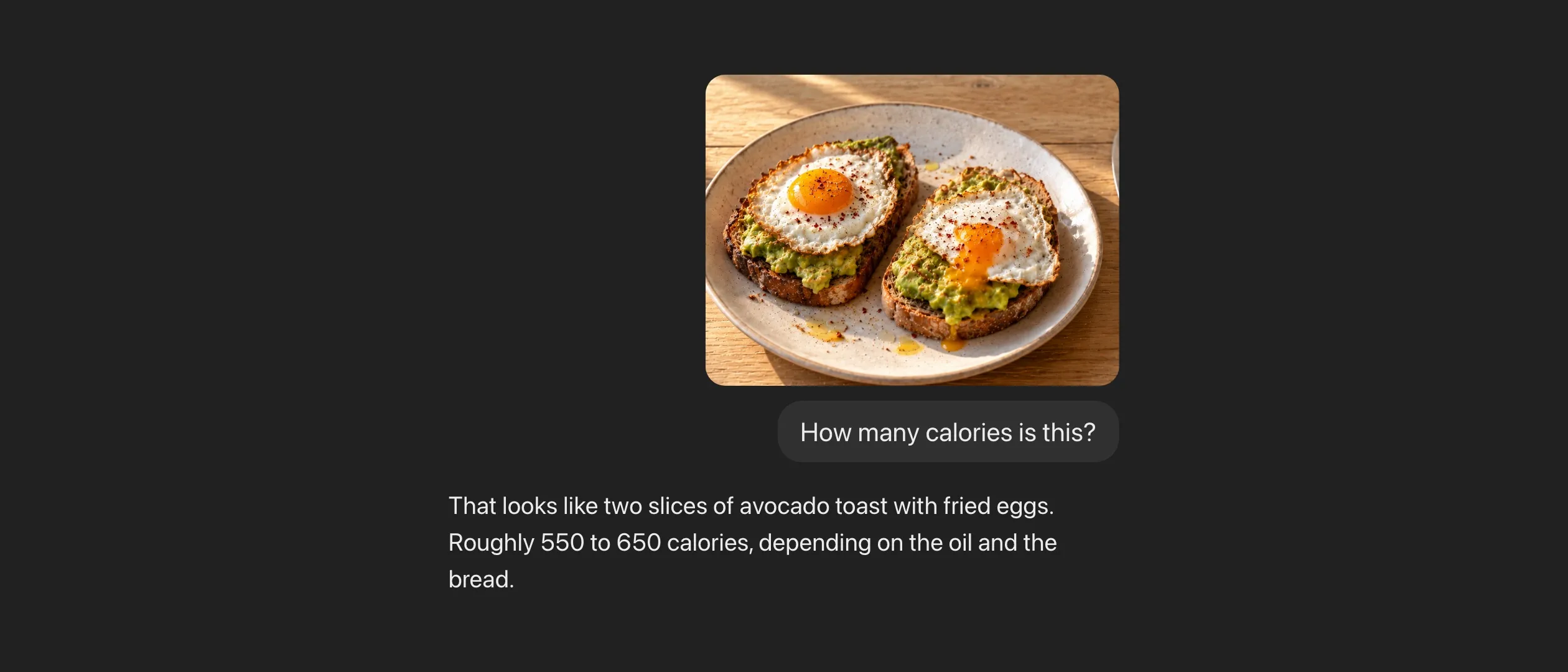
Yes. ChatGPT can count calories from a photo of your meal. It’s good at identifying the foods on the plate, but it often misjudges portion sizes, and its estimates usually run low. What it can’t do is keep track. Connect it to Fit Shapes, and every photo adds up to a daily total, your targets, and your weight trend.
Lots of people count calories like this now. You take a photo of your meal, drop it into ChatGPT, and ask how many calories it is. A few seconds later you have a number, a macro split, and a list of what it thinks is on the plate. As a quick photo calorie counter, it’s hard to beat.
How accurate is ChatGPT at counting calories?
Three studies have tested it against food the researchers weighed first.
- 114 meal photos (ChatGPT-4, 2025). It named the foods correctly 93% of the time. It got the weight of small meals about right and missed on medium and large ones. It was more than 10% off for 13 of the 16 nutrients it estimated, and it guessed low on 11 of them.
- 52 food photos (ChatGPT-4o, Claude 3.5 Sonnet, and Gemini 1.5 Pro, 2025). ChatGPT and Claude were off by about 36% on calories, on average. Gemini was off by 64% or more. All three guessed low, and the bigger the portion, the lower they guessed.
- 9 meals (ChatGPT-4o, 2026). The first guesses missed by as much as 54% on calories and 77% on fat. The worst misses were mixed dishes and meals with oil you couldn’t see. When the researchers told it what was in the meal, the estimates got much closer.
Those are older models, and newer ones are likely better—but the pattern holds. It recognizes food well, it struggles with portion size, and it almost always errs low.
That’s less damning than it sounds. The 52-photo study found ChatGPT and Claude about as accurate as people who write down what they ate by hand. Most food logs are off. A photo in a chat is just a faster way to be a little off.
Why does ChatGPT underestimate calories?
A photo shows the top of the plate. It doesn’t show the butter in the pan, the oil in the dressing, or how deep the bowl is. Fat is the densest thing you eat, at 9 calories a gram, and it’s the hardest thing to see. So the estimate leaves out what it can’t see, and what it can’t see is mostly fat.
Big portions make it worse. A model can tell a cup of rice from a spoonful. It has a harder time telling a cup from a cup and a half—and that half cup is about 100 calories.
How to get a more accurate estimate from ChatGPT
You don’t need to weigh everything. A few words help more than a better photo.
- Name what it can’t see. “Cooked in a tablespoon of olive oil” or “with ranch on the side” adds the calories a photo hides.
- Give it a size. “A 12-inch plate,” “a 16-ounce bowl,” or “about the size of my fist” gives it a scale to work from.
- Push back when a number looks off. If a burrito comes back at 450 calories, say so. It will look again.
Or paste this with your photo, and it will ask about the oil for you.
List each food in this photo with an estimated portion in grams. Before you total anything, ask me about any oil, butter, dressing, or sauce you can't see. Then give me the calories, protein, carbs, and fat for each food and for the whole meal.
Can ChatGPT track your calories over time?
Not on its own. Say ChatGPT nails every meal. You still have a number for lunch in one chat and a number for dinner in another. There’s no daily total unless you ask for one, no target to compare it with, and no weight trend to tell you whether any of it is working.
A food log isn’t useful because of any single entry. It’s useful because a month of entries, next to a month of weigh-ins, tells you what you actually burn and whether you’re on pace. A photo in a chat answers “how many calories is this?” It doesn’t answer “am I on track?”
If snapping a photo in ChatGPT is what gets you to log at all, keep doing it. Just connect it to something that keeps score.
See the bigger picture
Fit Shapes has a plugin for ChatGPT and a connector for Claude and other assistants. Once it’s connected, the assistant can read your Fit Shapes numbers and log to them. You keep taking photos in the chat. The difference is where the answer goes—into a log that remembers.
You send a photo of your plate and say “log this.” The assistant estimates it the same way it always has, then adds it to your day in Fit Shapes. Your daily total, your macros, and your weight trend are all in one place, and they’re the same numbers you see in the app.
Then you can ask the questions a single photo can’t answer. “How many calories do I have left today?” “Did I hit protein this week?” “How has my weight trended since I started?”
Plan meals around what you have left
This is where an assistant shines. It knows food, recipes, and restaurant menus, and now it knows your numbers too.
Ask “I have 600 calories and 40 grams of protein left. What should I have for dinner?” and you get an answer built around your day, not a generic one. Send a photo of a menu and ask what fits. Ask it to plan tomorrow’s meals to hit your targets, or to build a grocery list for the week. What you can ask has more ideas.
Meet your goals, even when the estimates are off
If you’re worried about accuracy, this is the part that matters most. You don’t need perfect numbers for Fit Shapes to work.
Each Monday, Fit Shapes compares what you logged over the last several weeks with how your weight actually moved. From that, it measures what you burn. Say your photo estimates run 20% low every day. Your log says you eat less than you do, but your weight doesn’t lie, so the burn Fit Shapes measures comes out low by about the same amount. Your log and your targets end up on the same scale, and the weekly check-in keeps adjusting them until you lose (or gain) at the pace you chose.
So Fit Shapes absorbs a consistent error. The real problem is an inconsistent log—the days you forget, or don’t bother. Logging from a chat you already have open makes those days rarer. How Adaptive Targets work goes through the math.
How to connect ChatGPT to Fit Shapes
You need a Fit Shapes membership. Then add Fit Shapes in your assistant and sign in with your Fit Shapes account. You choose whether the assistant can only read your numbers or can also log for you, and you can disconnect it from the app at any time.
- ChatGPT is pending approval for OpenAI’s plugin directory. Business, Enterprise, and Edu plans can add it by its address today. Connect ChatGPT.
- Claude works on every plan, including Free. Connect Claude.
- Gemini, Grok, Perplexity, and others are in the docs, each with its own steps.
Keep tracking your calories in ChatGPT. Just make sure they’re getting logged.
Sources
3 sources
- O'Hara C, Kent G, Flynn AC, Gibney ER, Timon CM. An evaluation of ChatGPT for nutrient content estimation from meal photographs. Nutrients. 2025;17(4):607. doi.org/10.3390/nu17040607
- Fridolfsson J, Sjöberg E, Thiwång M, Pettersson S. Performance evaluation of 3 large language models for nutritional content estimation from food images. Curr Dev Nutr. 2025;9(10):107556. doi.org/10.1016/j.cdnut.2025.107556
- Cinar EN, Ozler E, Arslan S, Yilmaz S. Image-based nutritional assessment: evaluating the performance of ChatGPT-4o on simple and complex meals. J Food Compos Anal. 2026;150:108843. doi.org/10.1016/j.jfca.2025.108843