 MacroFactor
Most calorie apps set your target once, from a formula, and leave it there. MacroFactor works it out again every week, from what you log and what you weigh. That one idea is the whole app, and it’s what you pay for after the 7-day trial. If you’re choosing between MacroFactor and another app, see MacroFactor vs MyFitnessPal or MacroFactor vs Cronometer.
Is MacroFactor free? What it costs
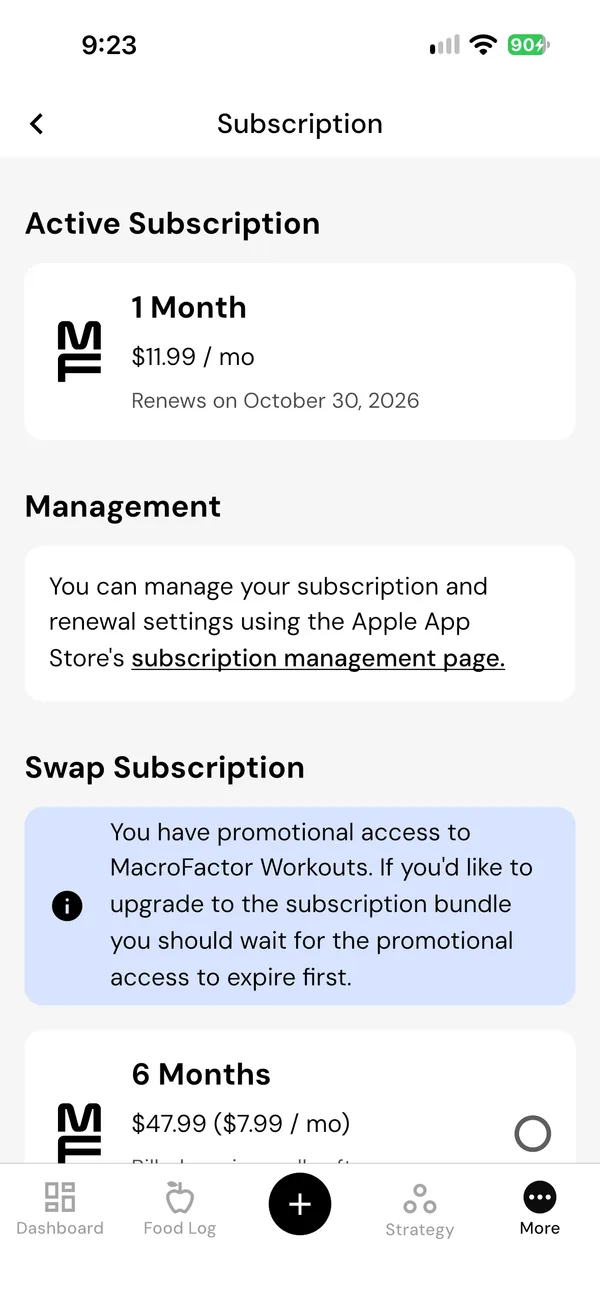
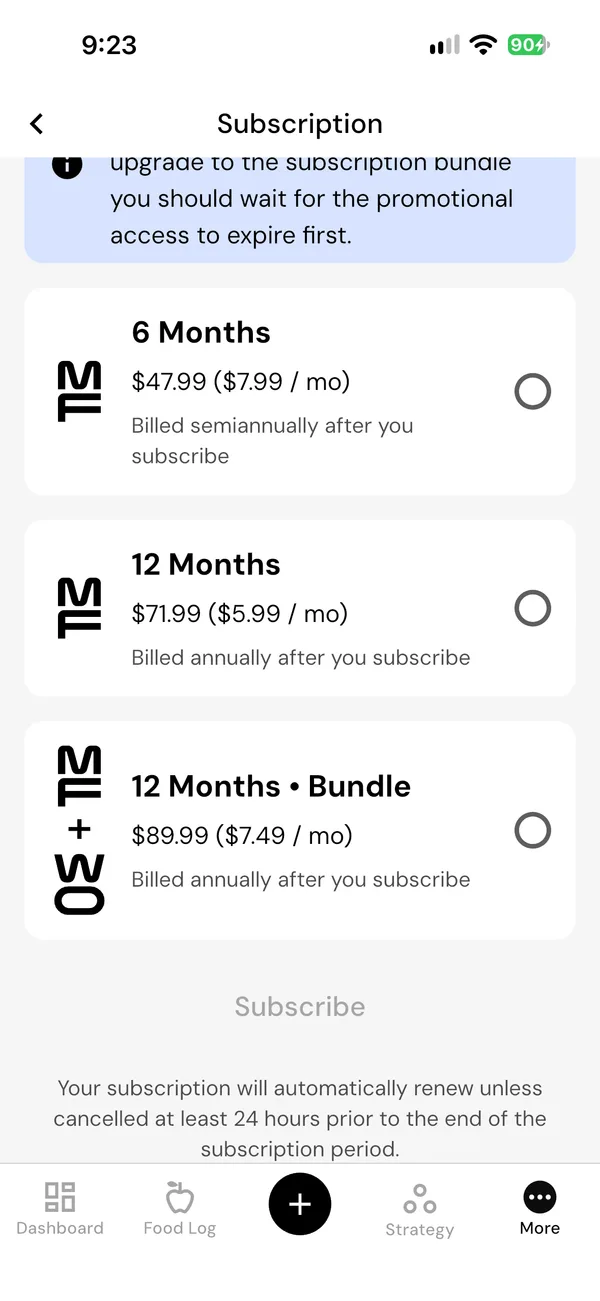
No. MacroFactor has a 7-day trial and no free plan, and its product page says there “will never be” one. After the trial, it costs $71.99 a year, $47.99 for six months, or $11.99 a month. That’s one plan, with every feature, and there are no ads anywhere in the app.
MacroFactor doesn’t run sales and has no lifetime option. A creator’s code, entered when you first sign up, extends the trial to 14 days. It doesn’t change the price after. MacroFactor also sells a yearly bundle with MacroFactor Workouts, its lifting app.
How MacroFactor works: expenditure and the weekly check-in
MacroFactor works out how much you burn from what you log and how your weight trends. If you eat 2,000 calories a day and your weight holds steady, you burn about 2,000. It doesn’t need a watch or a step count. MacroFactor calls the estimate rough at first, and says it settles after about 14 to 30 days of consistent tracking. A TDEE calculator gives you one estimate from a formula. MacroFactor keeps measuring yours.
Once a week, on a day you choose, the check-in uses that estimate to suggest new calorie and macro targets for your goal. You can accept them or decline. It doesn’t punish a bad week. The targets change “regardless of how close you came to hitting your targets from the previous week”, and each week starts fresh.
The Strategy tab shows the week’s targets and counts down to the next check-in. Behind them is your goal, the weight you’re aiming for and how fast you want to get there.
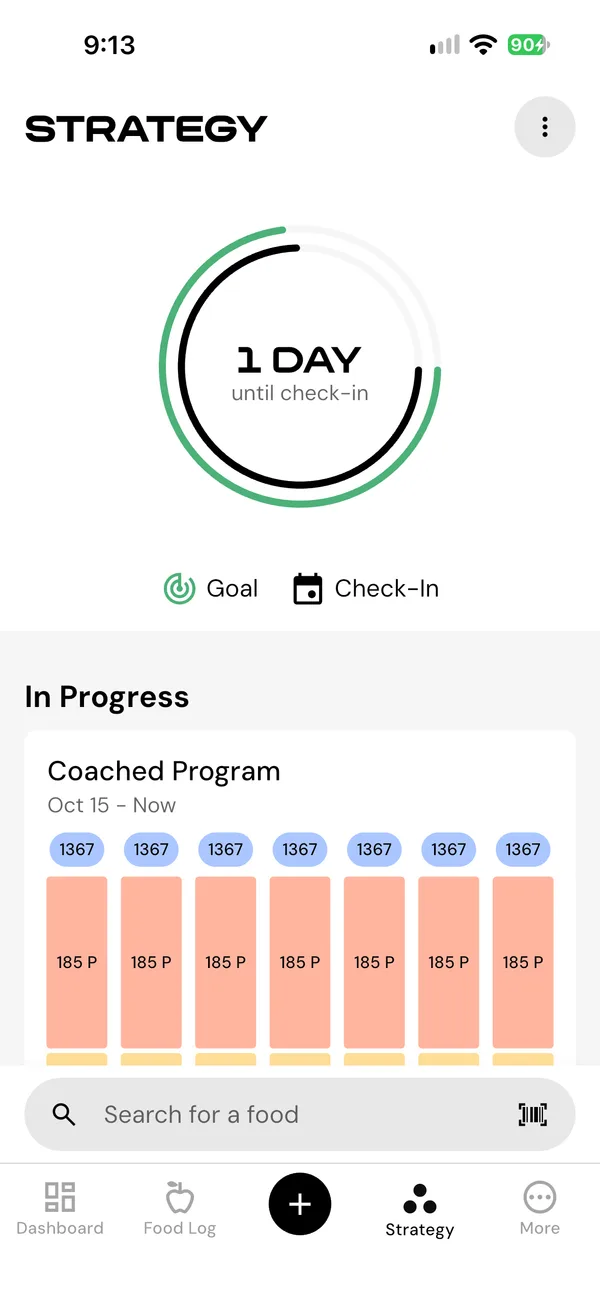
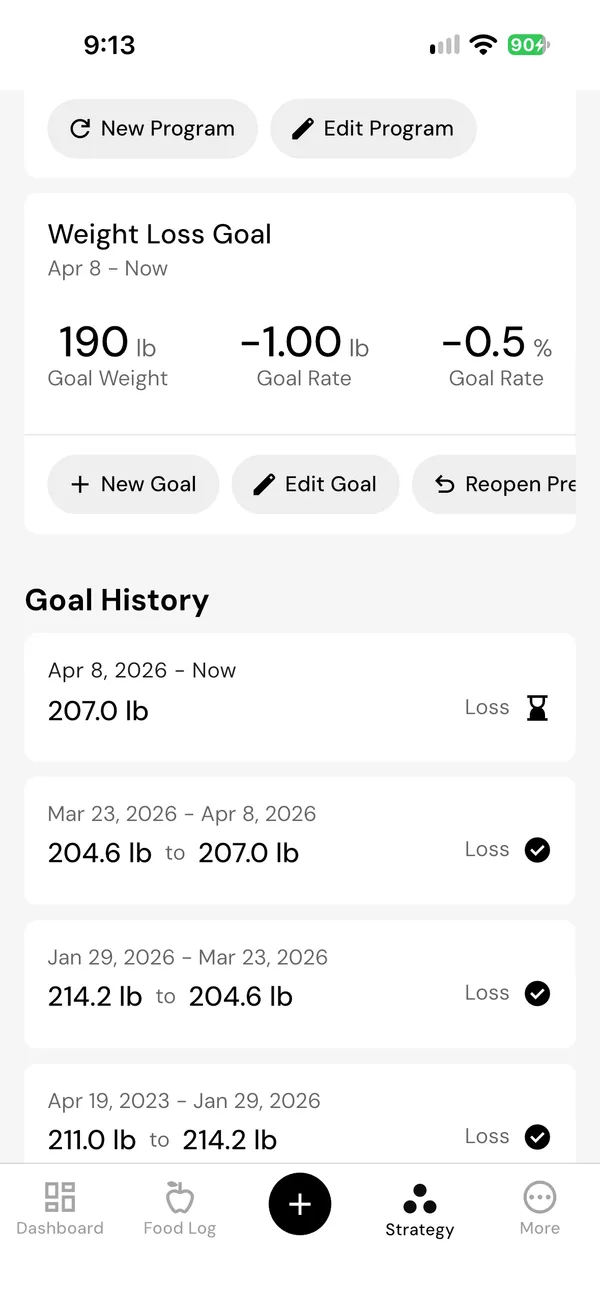
The estimate is only as good as your log. When you stop logging for a while, MacroFactor pauses its expenditure updates until you’ve logged enough days again, and the expenditure chart marks that stretch as Holding.
A day you log only part of counts as everything you ate, unless you mark it incomplete. The check-in asks about those days, and about days with nothing logged, before it suggests new targets. So if you skip meals in the log, tell it, or the estimate drifts low.
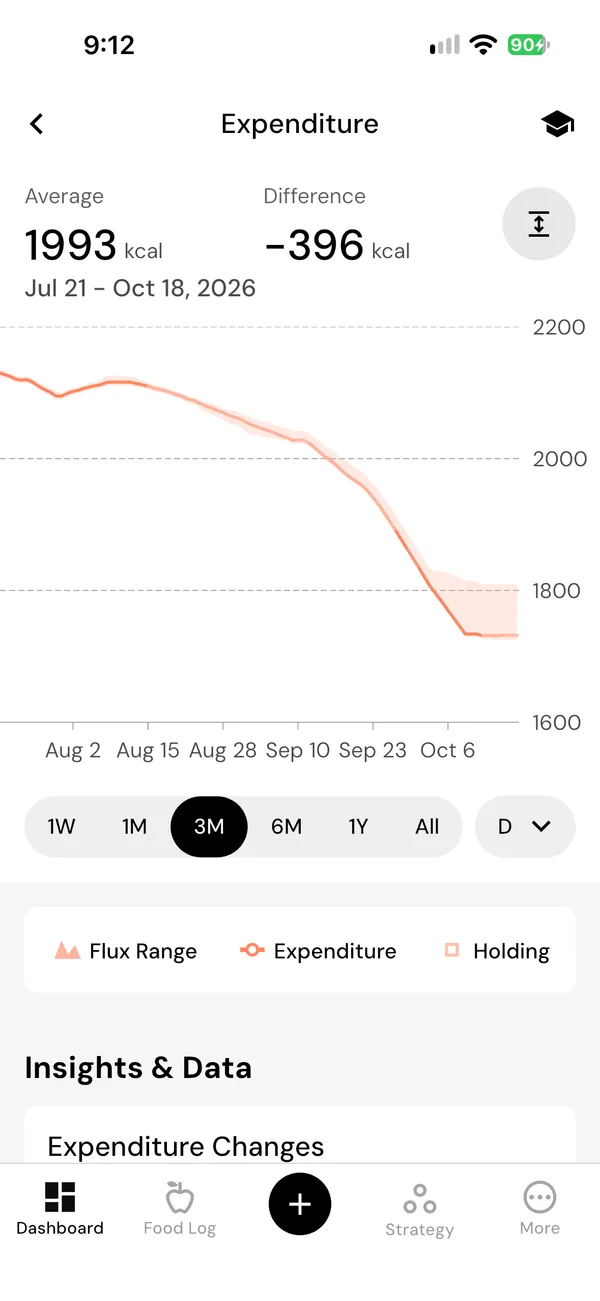
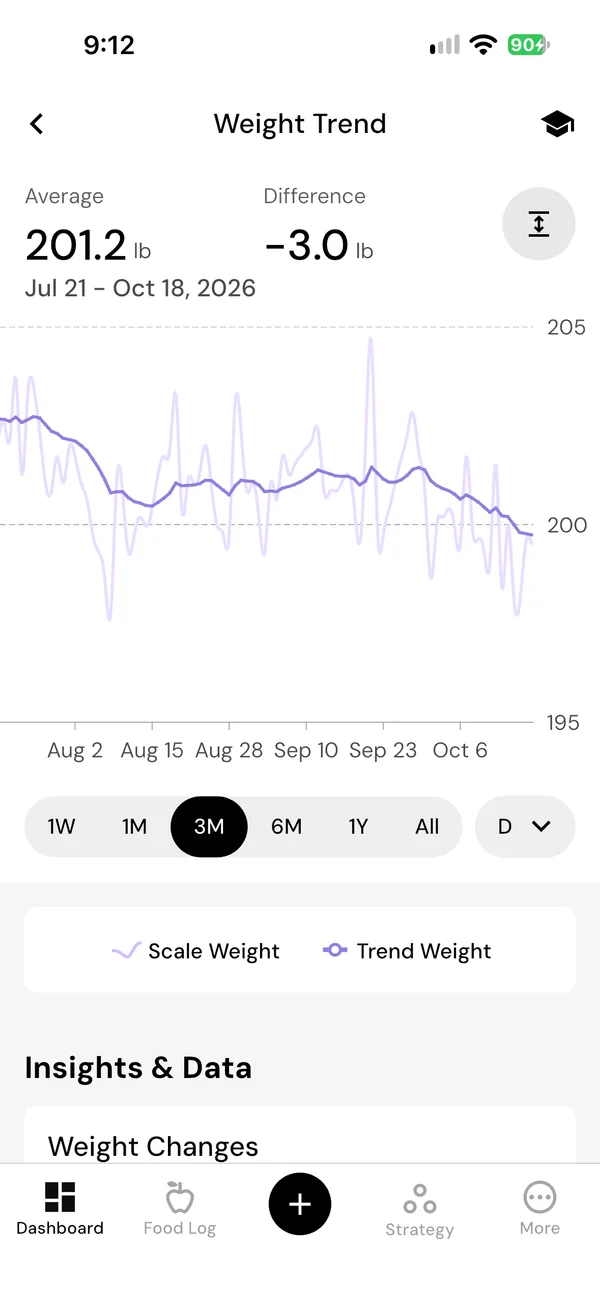
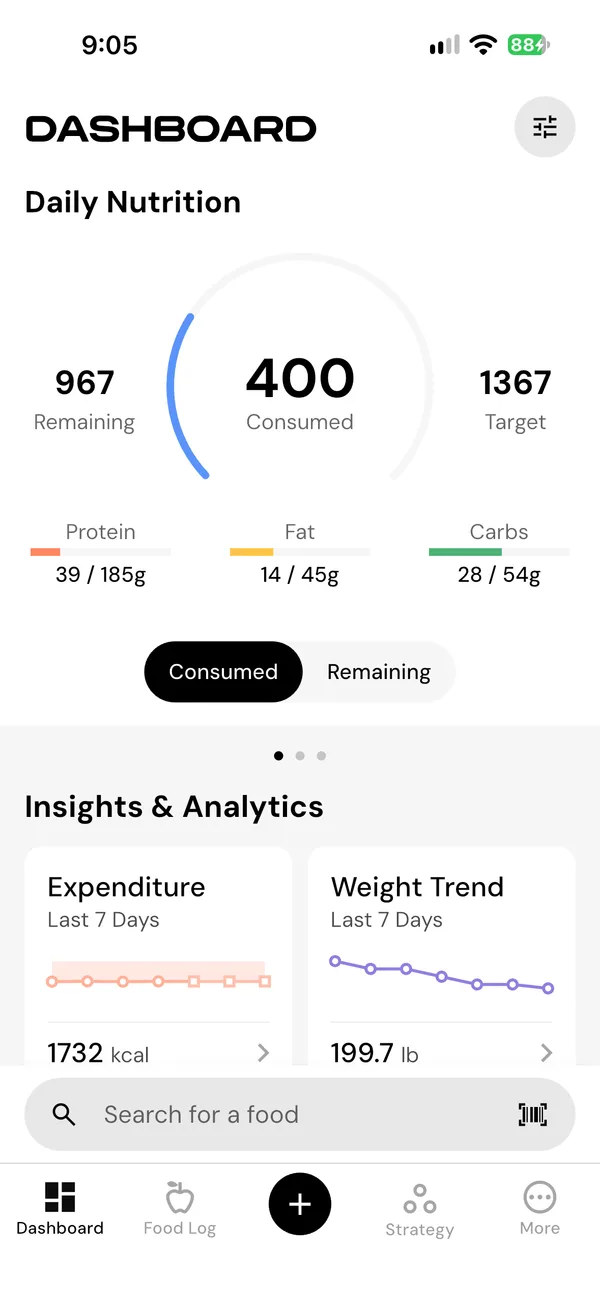
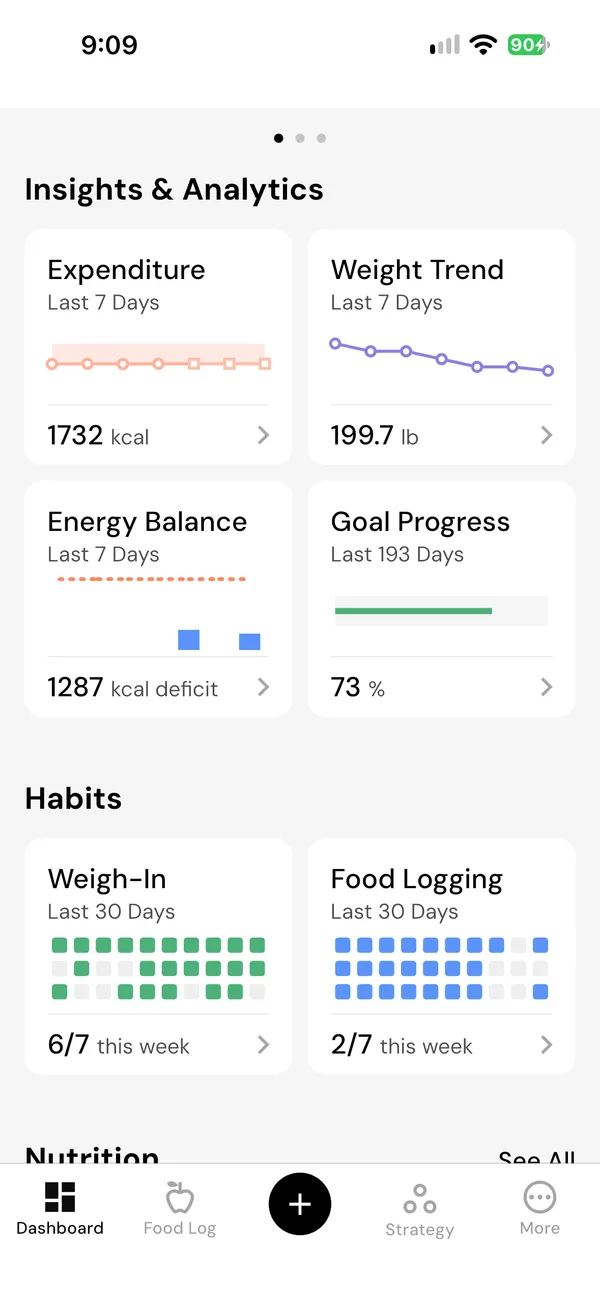
The Dashboard puts expenditure and weight trend up front, under the day’s calories and macros, with cards for energy balance and progress toward your goal. Below those, habits count the days you weighed in and logged food. You choose which cards show.
Logging food: search, barcode, Describe and Snap
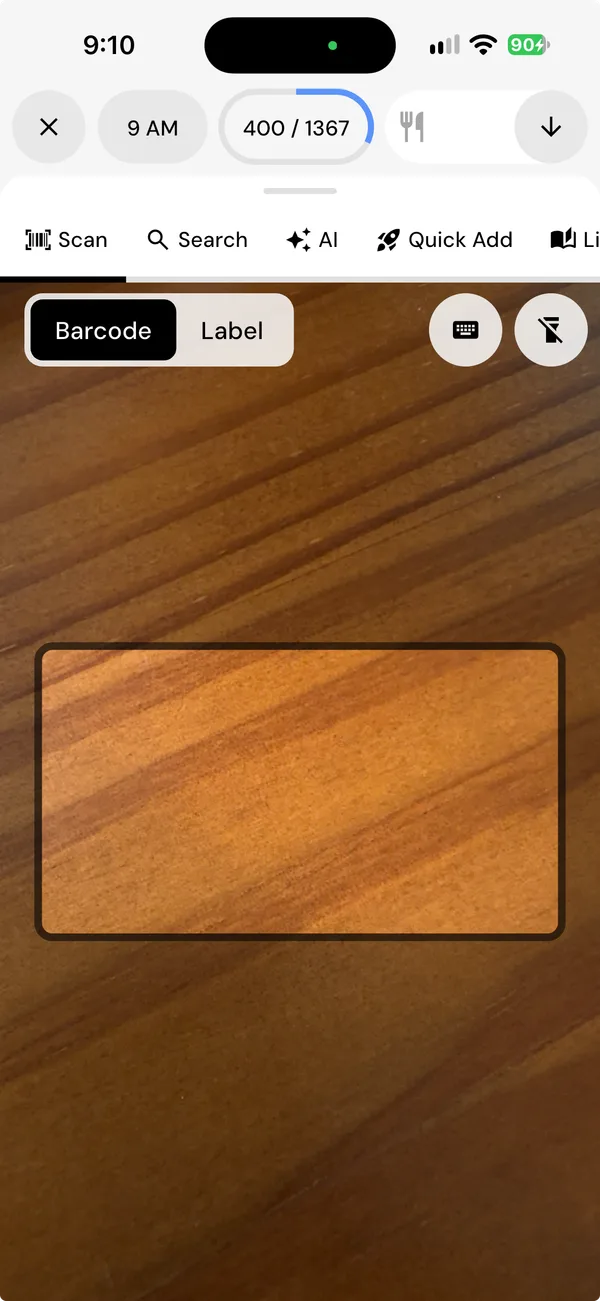
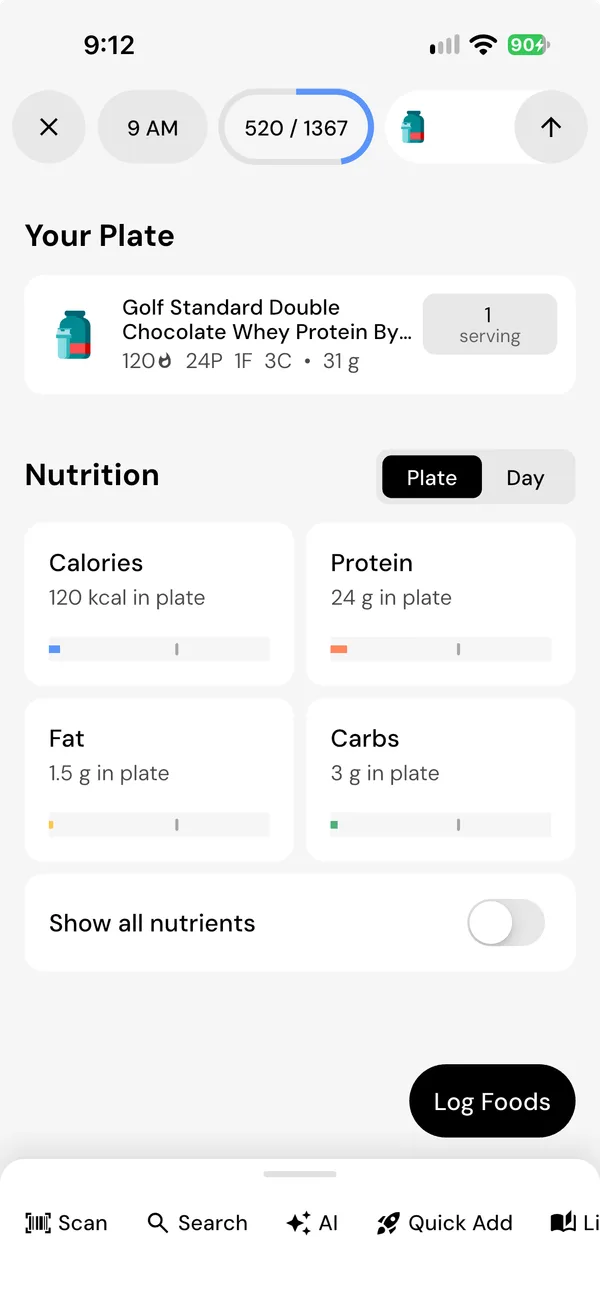
MacroFactor’s paid plan includes many ways to log. Search finds foods in its database. Scan reads a barcode or a nutrition label. AI builds a plate from a photo, or from a description with up to three photos. Library holds the foods and recipes you’ve saved. A barcode scan puts the food on Your Plate, set to one serving. You change the amount there, check the macros, and tap Log Foods.
In Describe, we typed “Everything bagel with cream cheese”. It came back as an everything bagel, marked as AI-generated, and 2 tablespoons of cream cheese spread, 378 calories in all. You can change any amount before you log, and a line under the plate says “MacroFactor AI can make mistakes, so always verify its results”. There’s no voice logging, though your phone’s built-in dictation works in Describe’s text box.
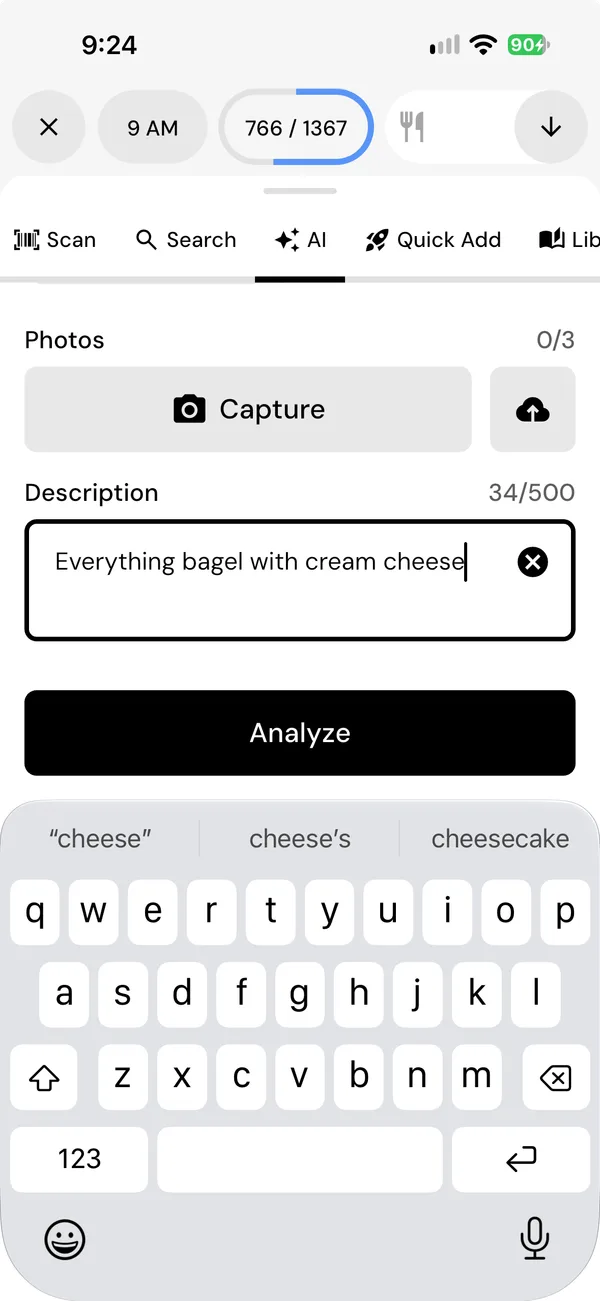
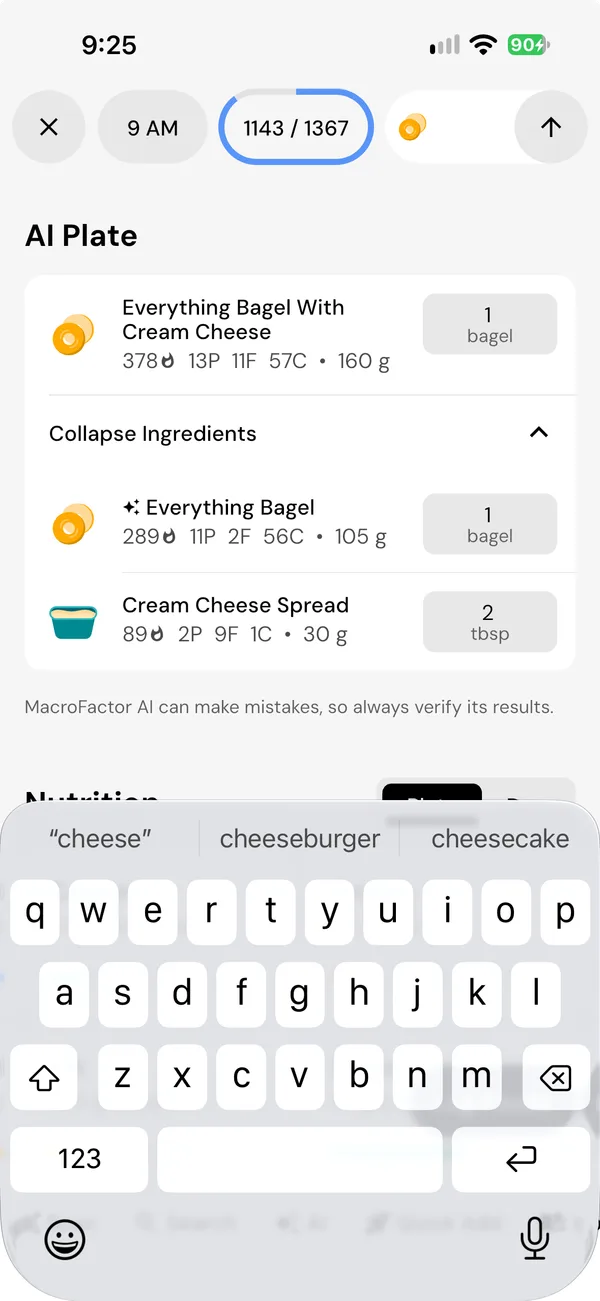
With a photo of a packaged food, the AI looks for the branded product in the database. For a restaurant or home-cooked meal, it “uses commonly associated ingredients to build a realistic entry for the plate”, and you check the amounts before you log.
How accurate is MacroFactor?
There are two questions here. One is whether its food data is right. The other is whether its expenditure estimate is.
The foods you search are verified, about 1.36 million of them, with common foods drawn largely from NCC, the University of Minnesota’s research database. About 26,500 of those have complete micronutrient data. Branded products come up by barcode. We found no outside test of the database, and MacroFactor publishes no accuracy figure for Snap or Describe.
Packaged and restaurant foods carry only what’s on their label, and MacroFactor shows the gaps as zeros. We opened the same Starbucks egg bites as in our Cronometer review and turned on Show all nutrients. Every vitamin and amino acid read 0, and so did every mineral but sodium, at 470 milligrams. Cronometer marks those gaps No Data. MacroFactor’s 0 looks like the food has none. Either way, nothing counts toward your targets, so a day of packaged and restaurant food can look short on vitamins and minerals it actually had. If micronutrients matter to you, lean on the common foods with complete data, and treat a 0 on a packaged food as missing.
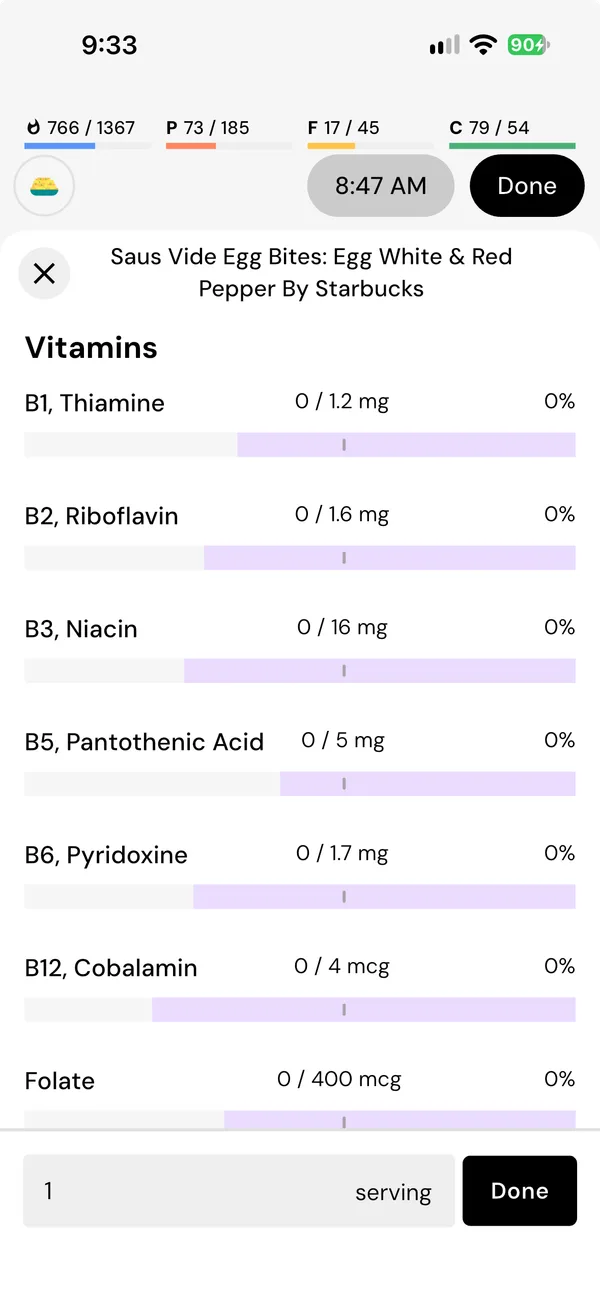
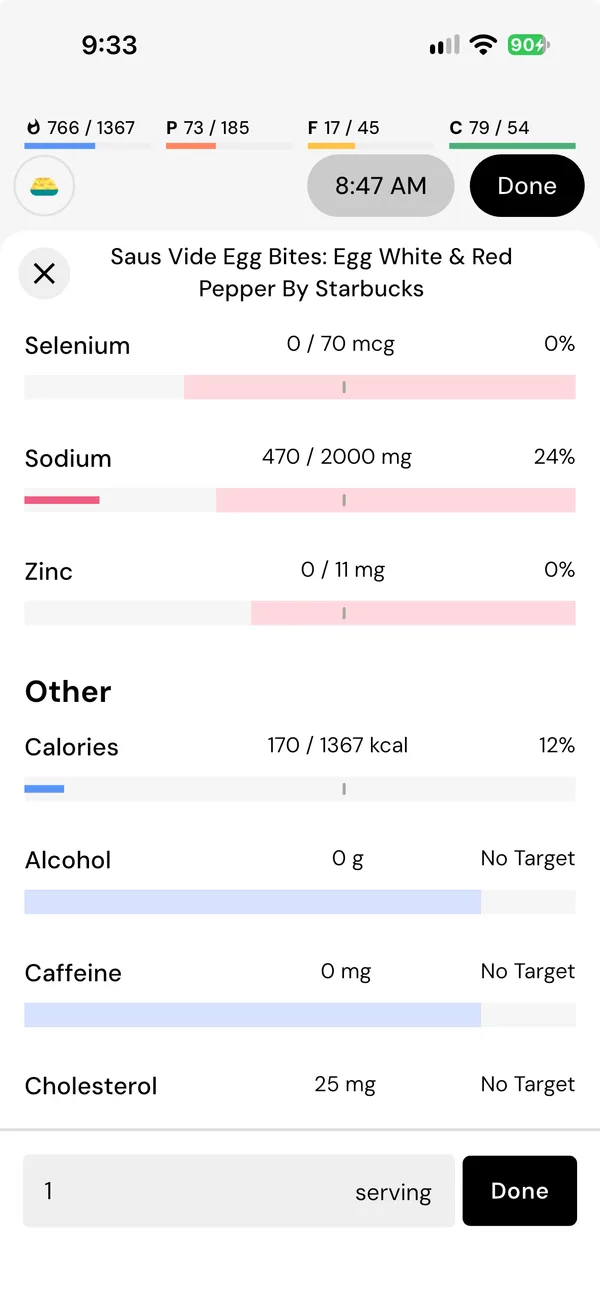
The expenditure estimate is math on your own numbers, so it’s accurate when the log is. Log whole days, weigh in often, and mark the days you didn’t finish.
MacroFactor Workouts
MacroFactor tracks food, weight and steps. Lifting is a separate app, MacroFactor Workouts, and it adjusts the same way. It builds a training program that “auto-adjusts based on your progress”, from more than 900 exercises with technique videos by Jeff Nippard. The two apps share one account, and MacroFactor calls them “separate apps that work together”. Body weight, body measurements and period data logged in either one show up in both. Neither app changes the other’s targets or program, though MacroFactor says deeper integration may come later.
Workouts has its own subscription at the same prices as MacroFactor, or you can buy both in a yearly bundle. If you subscribed to MacroFactor before 2026 and kept your subscription, Workouts is free until January 12, 2027.
Taking your data with you
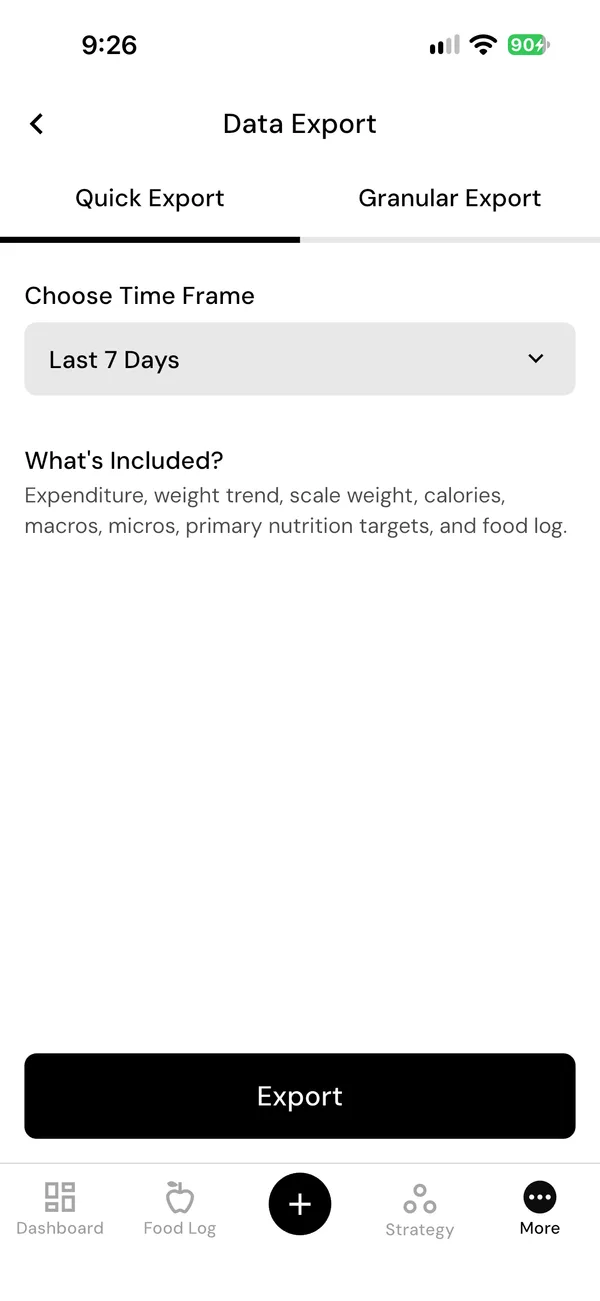
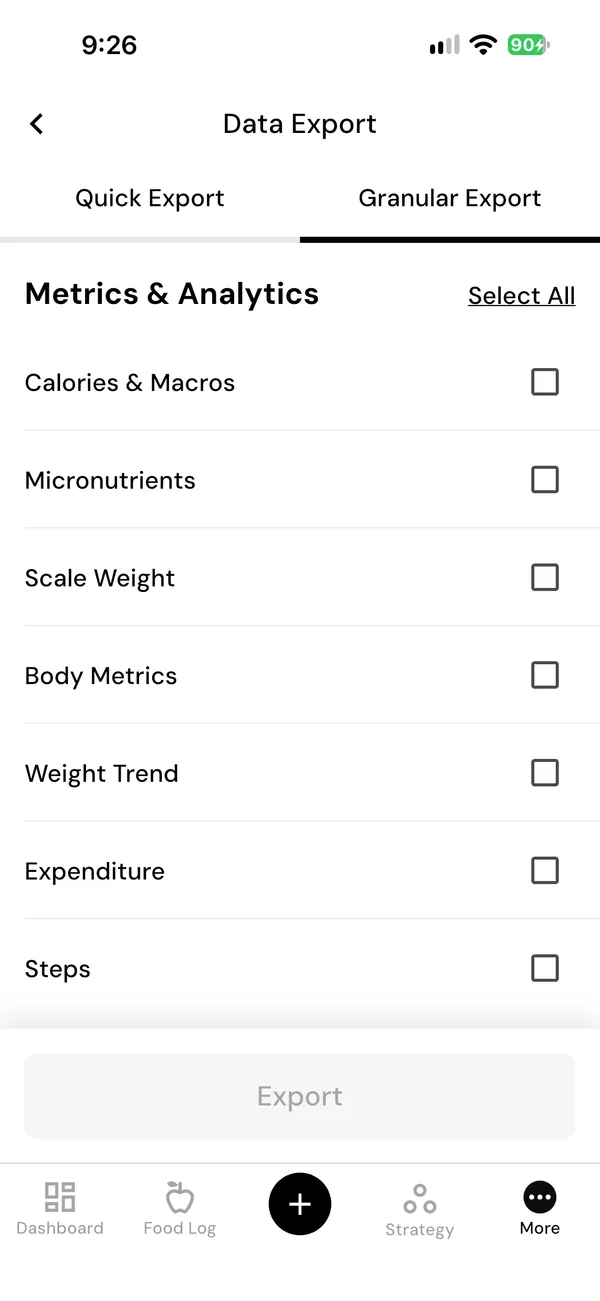
MacroFactor exports your data in two ways. Quick Export covers a time frame you pick, with expenditure, weight trend, scale weight, calories, macros, micronutrients, your targets and the food log. Granular Export lets you choose each piece, down to custom foods, recipes and food log notes.
It runs on iPhone, iPad, Android and Apple Watch, and has no web app. On iPhone, its one integration is Apple Health. Coming from another app, it brings in daily calorie and macro totals from Apple Health or Health Connect, but not the food log itself.
Where Fit Shapes fits
MacroFactor gets the big thing right. Your targets should follow your results, not a formula you filled in once. But you pay for it from day one, after a short trial, and a photo gives you a plate to check before it’s logged.
Fit Shapes agrees with MacroFactor about targets. Each week, Adaptive Targets proposes a new set from what you eat and weigh. Where it differs is speed. A photo logs the meal instantly, and every subscription includes photo and voice logging and barcode scanning. It has no ads, doesn’t sell your data, and costs less than half as much as MacroFactor, with a 14-day free trial. It also imports your data from MacroFactor, food log included. So if you decide to switch, you can bring your history with you.
The catch is that Fit Shapes is the newer app. MacroFactor has been refining adaptive targets for years, and it’s the expert here.
Questions
Is MacroFactor free?
No. MacroFactor has a 7-day trial and no free plan, and it says there will never be one. After the trial, it costs $71.99 a year, $47.99 for six months, or $11.99 a month.
How much does MacroFactor cost?
In the US, MacroFactor costs $71.99 a year, $47.99 for six months, or $11.99 a month. That’s one plan, with every feature. It has no lifetime option, and it doesn’t run sales.
Is MacroFactor worth it?
It is if you log often and want adaptive targets. At $71.99 a year, that comes with photo, barcode and AI logging, and no ads. If you log now and then, the weekly estimate has little to work with, and a free app will do.
Does MacroFactor have a free trial?
Yes, for 7 days. A creator’s code, entered when you first sign up, extends it to 14 days, and doesn’t change the price after.
How does MacroFactor work?
It estimates how much you burn from what you log and how your weight trends. Once a week, a check-in uses that estimate to suggest new calorie and macro targets for your goal.
What happens if I stop logging in MacroFactor?
It pauses its expenditure updates, and the expenditure chart marks that stretch as Holding. When you’ve logged enough days again, the updates resume.
How accurate is MacroFactor’s photo logging?
We found no published accuracy figure for it. MacroFactor matches packaged foods to its database and builds other meals from common ingredients, and you edit the plate before you log.
Does MacroFactor have ads?
No. There are no ads in the app.
Does MacroFactor track workouts?
MacroFactor tracks food, weight and steps. Lifting lives in a separate app, MacroFactor Workouts, sold on its own or in a bundle with MacroFactor.
Does MacroFactor work with MacroFactor Workouts?
Yes, as two separate apps on one account. Body weight, body measurements and period data logged in either app show up in the other. Neither app changes the other’s targets or program, so your training doesn’t change your calorie targets directly.
Sources
9 sources
- MacroFactor, apps.apple.com/us/app/macrofactor-macro-tracker/id1553503471, checked October 15, 2026
- MacroFactor, macrofactor.com/macrofactor/, checked October 15, 2026
- MacroFactor, help.macrofactorapp.com/en/articles/258-ai-food-logging, checked October 15, 2026
- MacroFactor, help.macrofactorapp.com/en/articles/216-log-foods-with-describe, checked October 18, 2026
- MacroFactor, help.macrofactorapp.com/en/articles/247-introduction-to-check-ins-and-coaching-modules, checked October 15, 2026
- MacroFactor, help.macrofactorapp.com/en/articles/36-where-is-my-nutrition-synced, checked October 15, 2026
- MacroFactor, help.macrofactorapp.com/en/articles/68-export-your-data, checked October 15, 2026
- MacroFactor, help.macrofactorapp.com/en/articles/46-food-search-database, checked October 15, 2026
- MacroFactor, macrofactor.com/macrofactor-vs-myfitnesspal-2025/, checked October 15, 2026