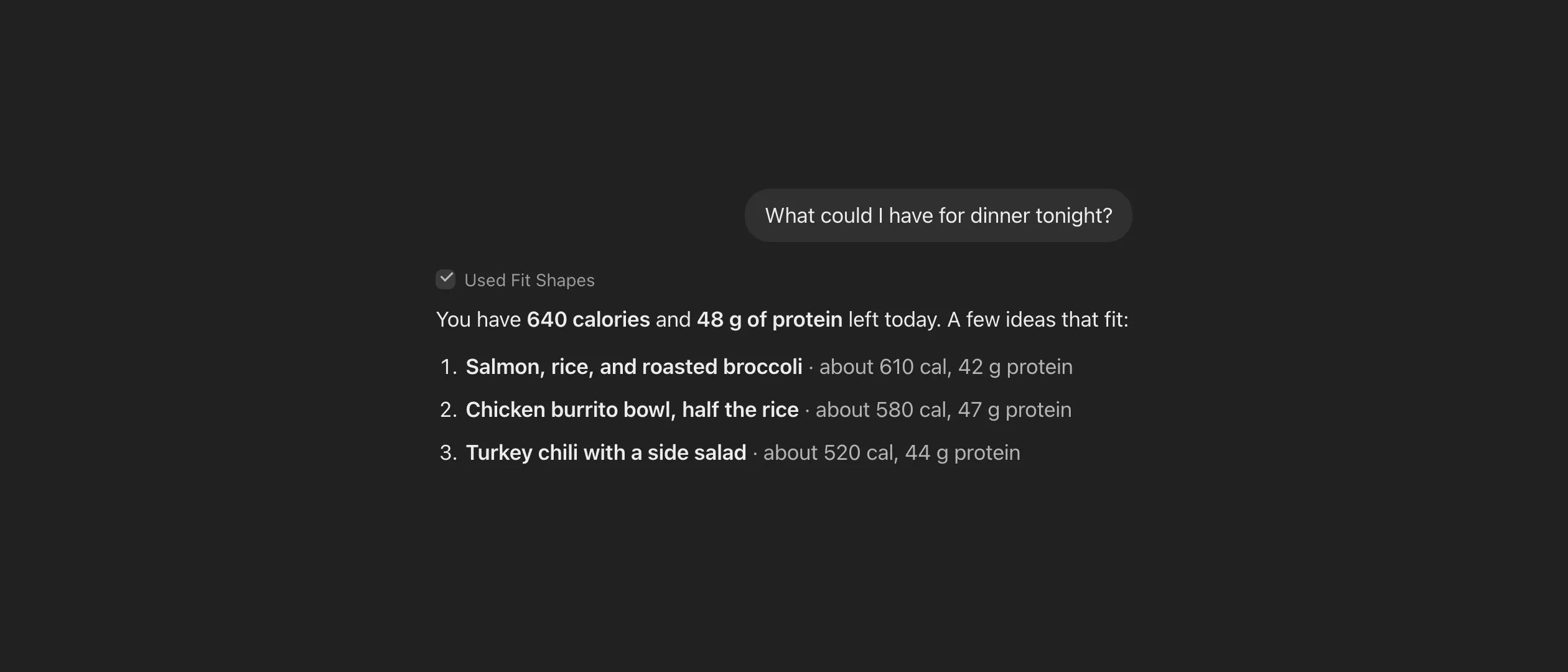
Fit Shapes is now in ChatGPT’s plugin directory. Connect it once, and ChatGPT can read your food log and log meals for you. Everything you log in a chat shows up in the app, and it counts toward your targets like any other meal.
Lots of people already ask ChatGPT how many calories are in their lunch. It gives a good answer, then forgets it. With Fit Shapes connected, that answer goes into your log.
How to add Fit Shapes to ChatGPT
- In ChatGPT, open Plugins in the sidebar and search for Fit Shapes. Or open Fit Shapes in ChatGPT.
- Choose Connect. ChatGPT opens a Fit Shapes sign-in page.
- Sign in with the account you use in the app. Choose whether ChatGPT can log for you or only read, then choose Allow.
In a chat, type @Fit Shapes, or just ask about your food. You need a Fit Shapes membership, and a free trial counts.
What you can ask
- “How many calories do I have left today?”
- “Did I hit my protein yesterday?”
- “How did my week go against my macro targets?”
- “How is my weight trending this month?”
- “What can I eat for dinner that fits what’s left of my macros?”
ChatGPT reads your real numbers to answer, so you get your remaining calories, not a guess. For more ideas, see what to ask.
Log a meal from a photo
Drop a photo of your plate into the chat and ask ChatGPT to log it. It estimates the calories and macros, shows you the numbers, and asks before it saves anything. If a number looks off, fix it before you say yes. Weigh-ins work the same way. Say “log 182.4 lb” and your trend weight updates.
ChatGPT’s photo estimates tend to run low on portions, so it’s worth a quick look before you say yes. Can ChatGPT count calories from a photo? covers how accurate it is.
You stay in charge of your data
ChatGPT sees only what a question needs, and it can’t edit or delete anything you logged. To end access, open Plugins in ChatGPT, choose Fit Shapes, then Disconnect. You can also end it from the Fit Shapes side. See Access and privacy.
Have questions or feedback? Reach out at support@fitshapes.com.