


 MacroFactor
 Cronometer
 Lose It!
 Fit Shapes
Cal AI popularized photo logging. But maybe you’re looking for something different. You might be ready for an app that gives you more control over your plan, or one that’s more accurate. Or maybe you want something cheaper, or easier to use. Here’s where each of these four apps stands out.
MacroFactor: for the most comprehensive features
This is the most feature-rich app here. It estimates how much you burn from your logged intake and weight trend. Then a weekly check-in adjusts your calorie and macro targets, with coaching modules for different goals. Cal AI’s targets come from a quiz, or you type them in yourself.
It tracks 54 nutrients and runs on iPad and Apple Watch as well as iPhone and Android. Photo logging, barcode scanning and spreadsheet exports all come with the subscription.
Bringing your history: We couldn’t find a supported way to import your Cal AI history.
Consider it if: you want the most control over your plan, with calorie and macro coaching that adjusts as you progress, and you’re happy to learn a bigger app.
Cronometer Basic: for a free plan and nutrient detail
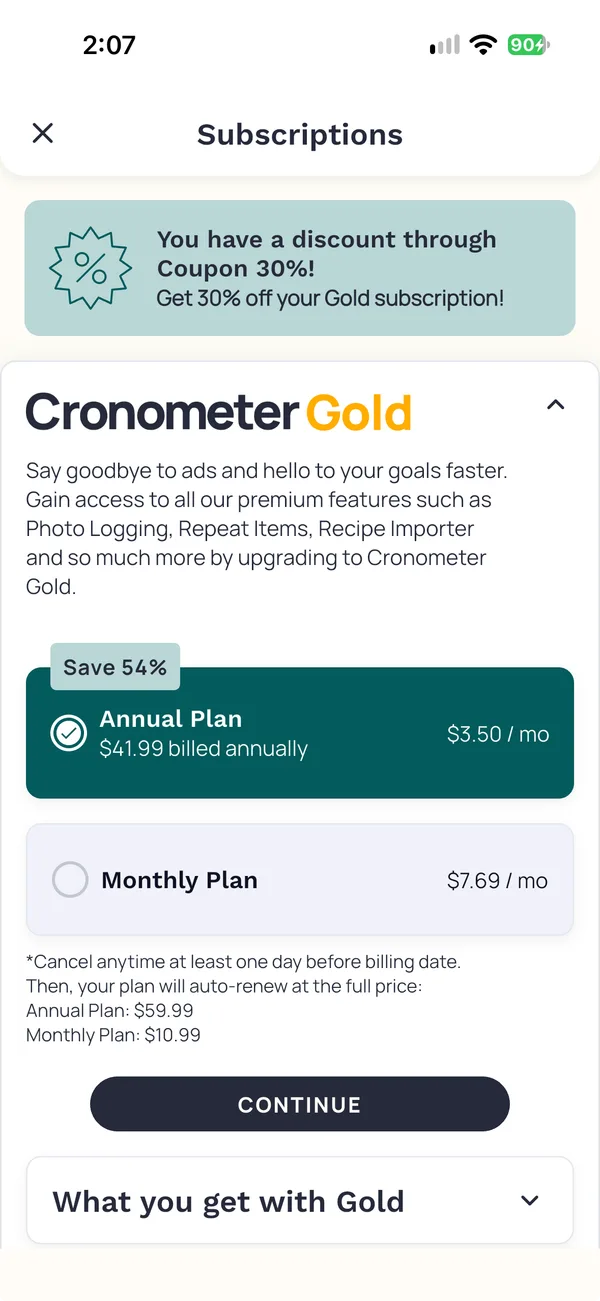
Basic is free and includes a barcode scanner and macro and micronutrient tracking. Cal AI has no free plan, so this is a sensible first stop if price is your reason for leaving.
Photo logging requires Gold, so the free plan won’t replace the camera you’re used to.
Bringing your history: We couldn’t find a supported way to import your Cal AI history. Ask support if your old food log matters to you.
Consider it if: you want a free plan, or want to examine nutrients beyond calories and macros. Start with Basic and check whether you need Gold.
Lose It! Basic: for a free calorie-and-weight log
Basic is free and covers calorie tracking, a weight-loss plan and community features. Photo logging, Snap It, comes with Premium, and barcode scanning is moving there too.
Bringing your history: Its help center says importing is not possible.
Consider it if: you mainly want a calorie goal and a regular food-and-weight log, and you can do without photos. Premium offers vary by account, so check the price in the app before you pay.
Fit Shapes: for a premium app that’s easy to use
Photo logging works the way you’re used to. One camera handles meals, nutrition labels and barcodes. Take a meal photo, and the entry goes straight to your log. Edit it later if you need to.
Your calories, macros and daily progress sit in a clear, readable view, with nutrient details a tap away.
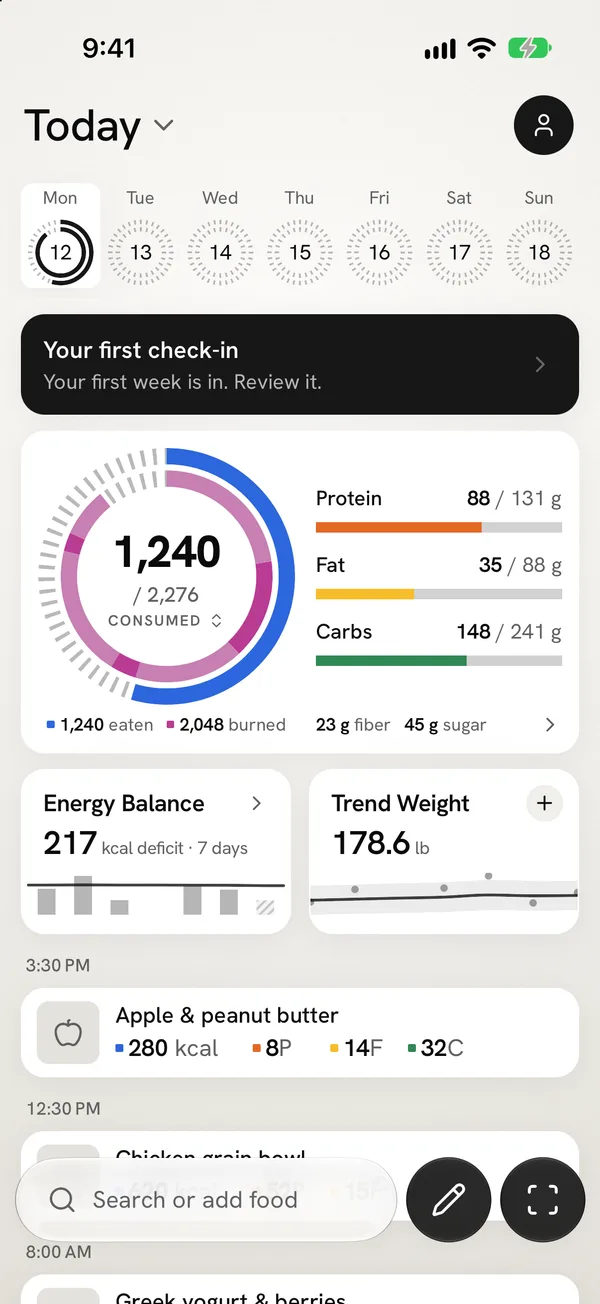
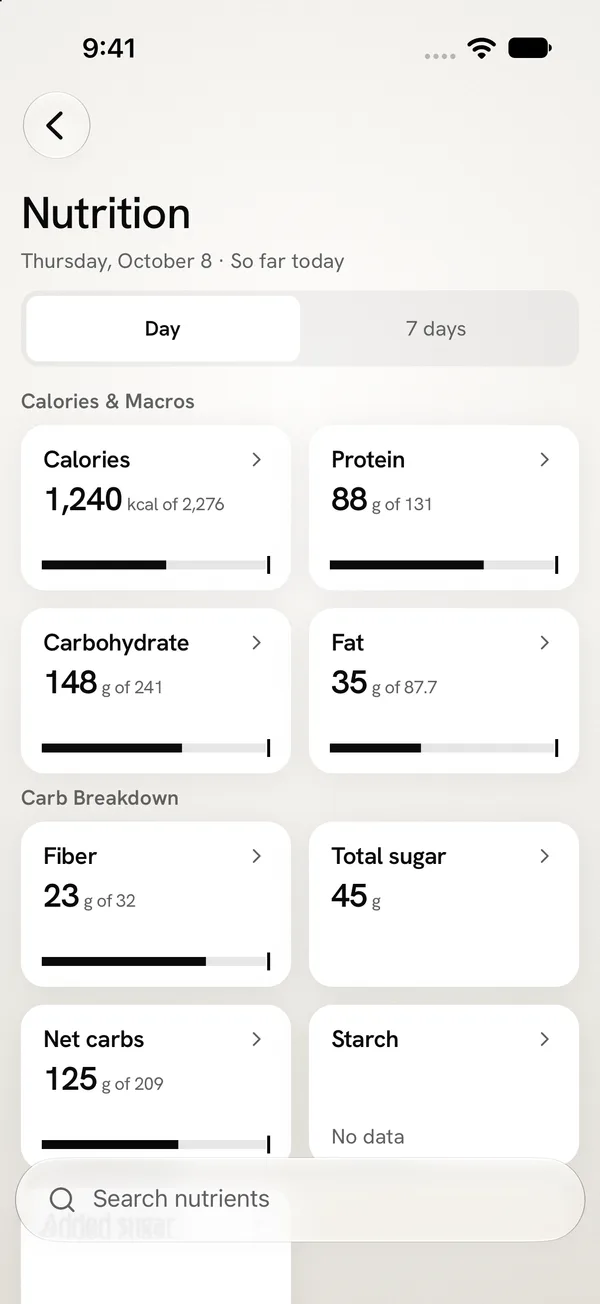
Adaptive Targets proposes changes each week from your food and weight history, so your targets don’t stay where a quiz put them. It also has the lowest yearly price of the paid apps here.
You can also connect Claude or another AI assistant and log food or check your day from a chat.
Bringing your history: It imports the food entries from the PDF summary report, Cal AI’s only export. And you can export everything as a CSV file at any time, even after your subscription ends.
Consider it if: you want a premium tracker that stays easy to use every day, with targets that adjust each week, and you want to keep your history. There’s no browser-based tracker, and Android is in beta.
Before you move your Cal AI history
- Export the report. In Cal AI, tap Profile, then Export PDF Summary Report. Choose All Time, enter your email, and Cal AI sends the PDF.
- Keep the PDF. Save it to Files on iPhone, or to Downloads on Android. Keep the original until you have checked the new history.
- Review what will transfer. In Fit Shapes, open Account → Import data → Cal AI, choose the PDF, and inspect the preview. Check the dates and the food entries.
- Cancel Cal AI separately. Cal AI’s FAQ says you can’t cancel inside the app, and deleting the app doesn’t cancel your subscription. Cancel it in your phone’s settings.
The full import guide covers iPhone and Android.
When staying with Cal AI makes sense
If Cal AI’s photo flow fits your day and its estimates come close enough for your goal, switching costs you a routine that already works. Cal AI also has barcode scanning and voice logging. Compare what you would actually use in each app before you pay for a second one. Our Cal AI review goes deeper on its price and accuracy.
Questions before switching
Which Cal AI alternatives are free?
Cronometer Basic and Lose It! Basic both offer ongoing free plans. Neither includes photo logging. Cronometer puts it in Gold, and Lose It! puts it in Premium. MacroFactor and Fit Shapes require a subscription after their trials.
Which alternative has the most accurate photo logging?
If accuracy is your reason for leaving Cal AI, know that this comparison does not name a winner. MacroFactor, Cronometer and Lose It! match a photo to foods in their databases. Fit Shapes and Cal AI estimate the meal from the photo itself. Whichever app you choose, a photo estimate is not a weighed meal.
Can I move my Cal AI history to another app?
Cal AI exports a PDF summary report, not a spreadsheet. Fit Shapes imports the food entries from that PDF. We couldn’t find another app in this comparison that reads it. Keep the PDF either way.
How we compared these apps
We compared free-plan limits, paid features and pricing, photo logging, supported platforms, and history imports using each product’s published documentation. We chose these four apps to cover different reasons for leaving Cal AI, rather than rank every tracker on the market. We left out MyFitnessPal, which owns Cal AI and supplies its food database. The Fit Shapes screenshots show its native iPhone interface with sample data. This comparison does not establish a winner for logging speed or photo accuracy.
Prices are in US dollars. Local prices and offers can differ. The sources below give the page and the date behind each fact in the table.
See a simpler way to track with Fit Shapes
A tracker is something you use every day. Fit Shapes brings seamless meal logging, a clear view of your calories and macros, and weekly target proposals into one carefully designed app.
See Fit Shapes in action—from taking a meal photo to seeing it in your log. Keep track of your calories, macros and progress in one clear view.
Sources
32 sources
- MacroFactor, apps.apple.com/us/app/macrofactor-macro-tracker/id1553503471, checked October 15, 2026
- MacroFactor, macrofactor.com/macrofactor/, checked October 15, 2026
- MacroFactor, help.macrofactorapp.com/en/articles/258-ai-food-logging, checked October 15, 2026
- MacroFactor, help.macrofactorapp.com/en/articles/216-log-foods-with-describe, checked October 18, 2026
- MacroFactor, help.macrofactorapp.com/en/articles/247-introduction-to-check-ins-and-coaching-modules, checked October 15, 2026
- MacroFactor, help.macrofactorapp.com/en/articles/36-where-is-my-nutrition-synced, checked October 15, 2026
- MacroFactor, help.macrofactorapp.com/en/articles/68-export-your-data, checked October 15, 2026
- MacroFactor, help.macrofactorapp.com/en/articles/46-food-search-database, checked October 15, 2026
- MacroFactor, macrofactor.com/macrofactor-vs-myfitnesspal-2025/, checked October 15, 2026
- Cronometer, cronometer.com/, checked October 14, 2026
- Cronometer, cronometer.com/gold/, checked October 14, 2026
- Cronometer, fitshapes.com/compare/cronometer-review/gold.webp, checked October 17, 2026
- Cronometer, cronometer.com/blog/photo-logging/, checked October 14, 2026
- Cronometer, support.cronometer.com/hc/en-us/articles/47549391461780-Mobile-Voice-Logging, checked October 15, 2026
- Cronometer, cronometer.com/blog/how-to-use-the-barcode-scanner/, checked October 14, 2026
- Cronometer, support.cronometer.com/hc/en-us/articles/360018760151-Account-Settings, checked October 14, 2026
- Cronometer, cronometer.com/features/accurate-databases.html, checked October 14, 2026
- Lose It!, loseit.zendesk.com/hc/en-us/articles/47497914864916-How-to-Download-Your-Data, checked October 14, 2026
- Lose It!, loseit.com/how-it-works/, checked October 14, 2026
- Lose It!, loseit.zendesk.com/hc/en-us/articles/47345136549652, checked October 14, 2026
- Lose It!, loseit.zendesk.com/hc/en-us/articles/51906561286804-Lose-It-Membership-Tiers-Pricing, checked October 15, 2026
- Lose It!, loseit.zendesk.com/hc/en-us/articles/47771695186580-How-to-Use-Snap-It, checked October 15, 2026
- Lose It!, loseit.zendesk.com/hc/en-us/articles/47773984823700-Unlocking-the-Barcode-Scanner-Scan-It, checked October 15, 2026
- Lose It!, loseit.zendesk.com/hc/en-us/articles/47773659281940-Reasons-Your-Budget-Might-Change, checked October 15, 2026
- Lose It!, loseit.zendesk.com/hc/en-us/articles/47273196503572-Tracking-Nutrients, checked October 15, 2026
- Fit Shapes, fitshapes.com/android/, checked October 14, 2026
- Fit Shapes, fitshapes.com/#faq, checked October 14, 2026
- Fit Shapes, fitshapes.com/help/scan-food/, checked October 14, 2026
- Fit Shapes, fitshapes.com/features/capture/, checked October 14, 2026
- Fit Shapes, fitshapes.com/features/adaptive-targets/, checked October 14, 2026
- Fit Shapes, fitshapes.com/help/import-myfitnesspal/, checked October 14, 2026
- Fit Shapes, fitshapes.com/help/export-data/, checked October 14, 2026