

 Cronometer
 Lose It!
 Fit Shapes
MacroFactor is one of the most comprehensive trackers you can buy, and its weekly check-in is the reason people pay for it. But it has no free plan, it costs $71.99 a year after the trial, and it’s built for people who want to tune everything. Maybe you want to pay less, or nothing at all. Or maybe you want targets that adjust without learning a bigger app. Here’s where each of these three apps stands out.
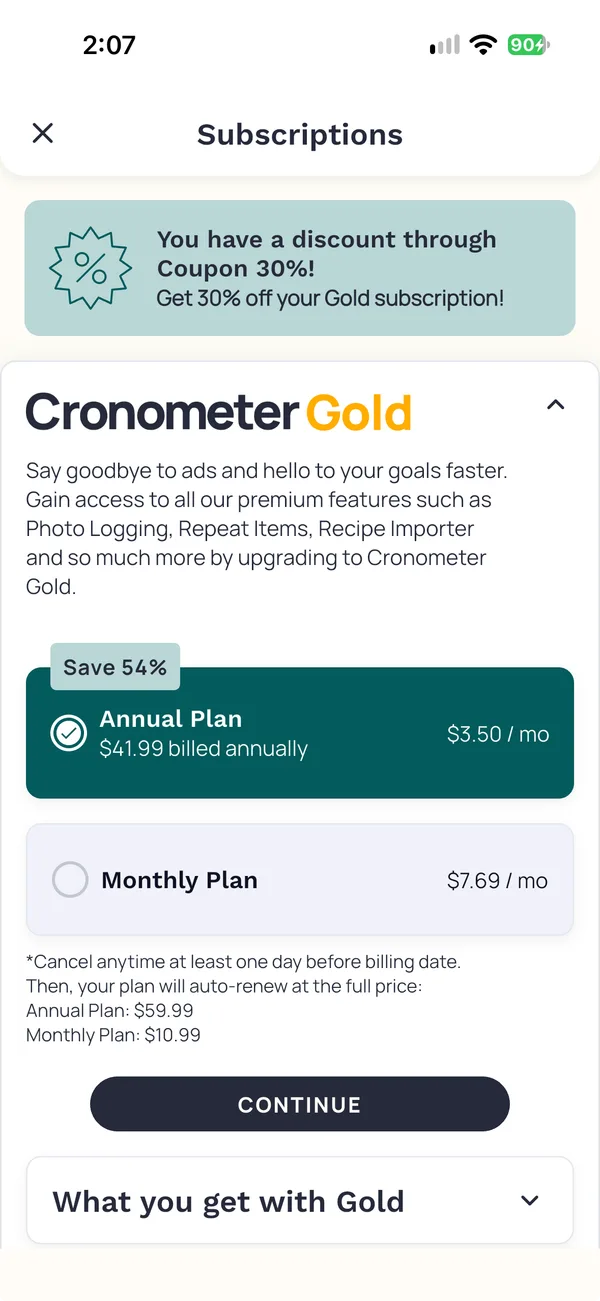
Cronometer Basic: for a free plan and nutrient detail
Basic is free and includes a barcode scanner and up to 84 nutrients. If MacroFactor’s nutrient detail is what you’d miss most, this comes closest without a subscription.
You set your own target for each macro and nutrient. Nothing adjusts them from your weight trend, so the weekly math is yours to do. Photo logging requires Gold, which costs less a year than MacroFactor.
Bringing your history: We couldn’t find a supported way to import your MacroFactor history.
Consider it if: you want a free plan and care about nutrients beyond calories and macros, and you’re happy to set your own targets.
Lose It! Basic: for a free calorie-and-weight log
Basic is free and covers calorie tracking, a weight-loss plan and community features. Your calorie goal comes from your profile, and it drops as you log weight loss. It doesn’t measure what you burn from your log and weight trend the way MacroFactor does.
Photo logging, Snap It, comes with Premium, and barcode scanning is moving there too. Premium costs more a year than MacroFactor, so the savings come from staying on Basic.
Bringing your history: Its help center says importing is not possible.
Consider it if: you mainly want a free calorie goal and a regular food-and-weight log, and you can do without photos and adaptive targets.
Fit Shapes: for adaptive targets that cost less
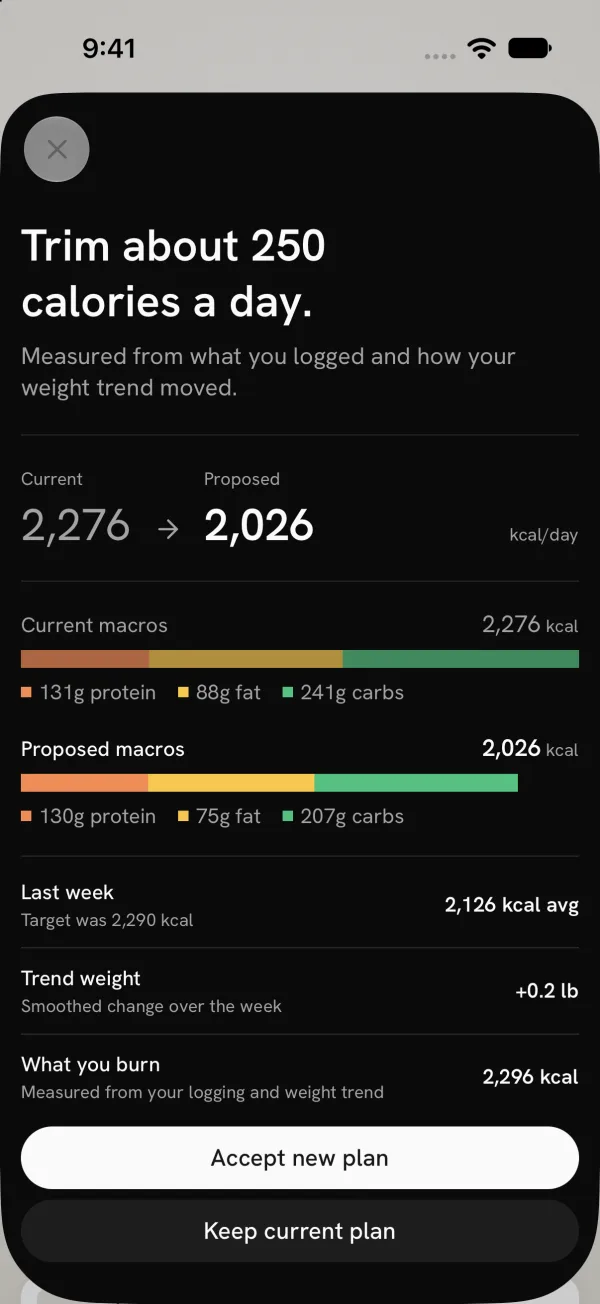
Each week, Adaptive Targets proposes new calorie and macro targets from what you logged and how your weight trend moved. You accept the new plan or keep your current one. It’s the same idea MacroFactor is built on, for less than half the yearly price. Import your MacroFactor history, and your first proposal starts from your real history, not a fresh guess.
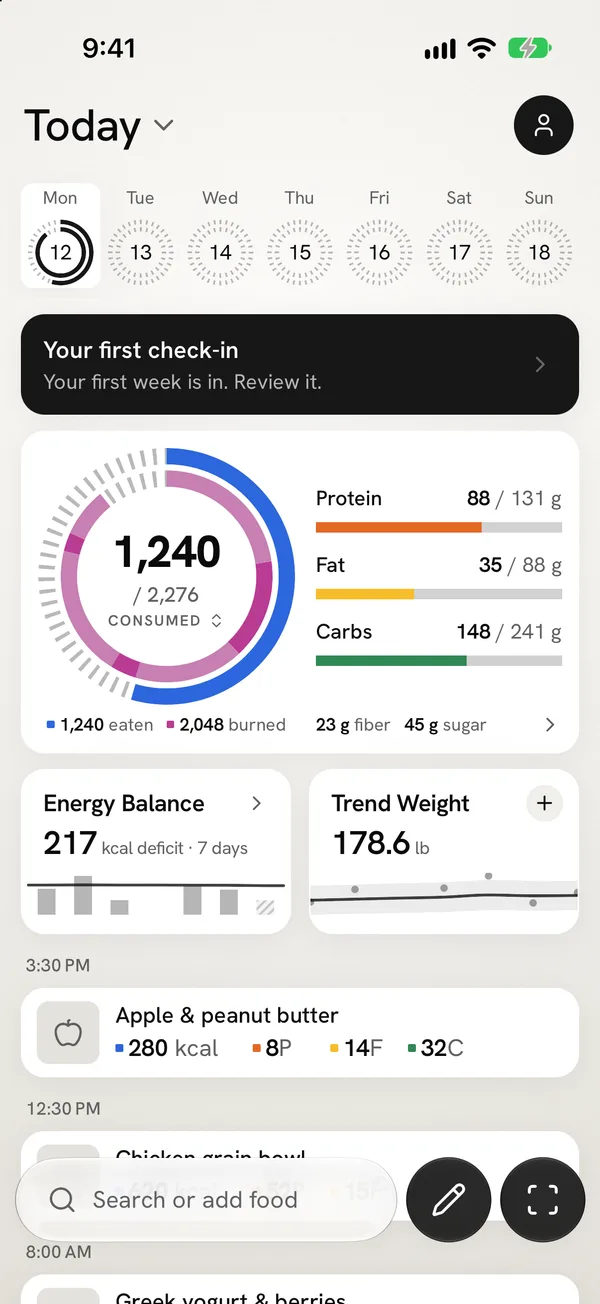
Where it differs is ease. One camera handles meals, nutrition labels and barcodes. Take a meal photo, and the entry goes straight to your log. Edit it later if you need to. You can also connect Claude or another AI assistant and log food or check your day from a chat.
Bringing your history: It imports your MacroFactor export, with your food entries, weigh-ins and the days you marked as partially logged. And you can export everything as a CSV file at any time, even after your subscription ends.
It’s the newer app, and it tracks fewer nutrients. It runs on iPhone, and Android is in beta.
Consider it if: you want weekly targets like MacroFactor’s in an app that stays easy to use every day, and you want to pay less.
Before you move your MacroFactor history
- Use Granular Export. In MacroFactor, open More, then Data Export, then the Granular Export tab. Choose All time. Quick Export reaches back 30 days at most.
- Export two files. Export once with every data type except the food log, for your summary. Then turn on the food log and export again. Save both to Files on iPhone, or to Google Drive on Android.
- Review what will transfer. In Fit Shapes, open Account → Import data → MacroFactor, choose both files, and check the preview. Check the dates, the food entries and the weigh-ins.
- Cancel MacroFactor separately. Deleting the app doesn’t cancel your subscription. If you subscribed in the app, cancel it in your phone’s settings.
The full import guide covers iPhone and Android.
When staying with MacroFactor makes sense
If you rely on its coaching modules, its 54 nutrients, or its iPad and Apple Watch apps, nothing here replaces all of it. MacroFactor has refined its expenditure estimate for years, and it’s still the expert at it. Our MacroFactor review goes deeper on its price and how the check-in works.
Questions before switching
Is there a free alternative to MacroFactor?
Cronometer Basic and Lose It! Basic both offer ongoing free plans. Neither adjusts your targets each week from your weight trend, and neither includes photo logging. MyFitnessPal also has a free plan, but barcode scanning requires Premium. Fit Shapes requires a subscription after its 14-day trial.
What app is like MacroFactor but cheaper?
Fit Shapes is the closest match. It proposes new calorie and macro targets each week from your food and weight history, as MacroFactor does, for less than half the yearly price. Cronometer Gold also costs less a year than MacroFactor, with more nutrient detail, but you set your targets yourself.
Which alternative adjusts targets like MacroFactor?
Of the apps here, only Fit Shapes proposes new calorie and macro targets each week from your food and weight history. Cronometer uses targets you set yourself. Lose It! sets your calorie goal from your profile and lowers it as you log weight loss.
Can I move my MacroFactor history to another app?
MacroFactor exports spreadsheets of your food log and progress. Fit Shapes imports both, with your food entries and weigh-ins. Lose It! says importing is not possible, and we couldn’t find a supported way in Cronometer. Keep your export files either way.
How we compared these apps
We compared free plans, paid prices, how each app sets your targets, supported platforms, and history imports, using each product’s published documentation. We chose these three apps to cover different reasons for leaving MacroFactor, rather than rank every tracker on the market. We left out MyFitnessPal, because its free plan has no barcode scanner and its Premium plan costs more than MacroFactor. The Fit Shapes screenshots show its native iPhone interface with sample data.
Prices are in US dollars. Local prices and offers can differ. The sources below give the page and the date behind each fact in the table.
Keep the targets, lose the learning curve
Weekly targets that follow your results shouldn’t take a manual to use. Fit Shapes reads your food and your weight trend, proposes a new plan each week, and leaves the decision to you. Logging stays quick, so the numbers behind each proposal stay complete.
See how Adaptive Targets works, from a week of logging to a new plan you can accept or keep. Then bring your MacroFactor history and start where you left off.
Sources
23 sources
- Cronometer, cronometer.com/, checked October 14, 2026
- Cronometer, cronometer.com/gold/, checked October 14, 2026
- Cronometer, fitshapes.com/compare/cronometer-review/gold.webp, checked October 17, 2026
- Cronometer, cronometer.com/blog/photo-logging/, checked October 14, 2026
- Cronometer, support.cronometer.com/hc/en-us/articles/47549391461780-Mobile-Voice-Logging, checked October 15, 2026
- Cronometer, cronometer.com/blog/how-to-use-the-barcode-scanner/, checked October 14, 2026
- Cronometer, support.cronometer.com/hc/en-us/articles/360018760151-Account-Settings, checked October 14, 2026
- Cronometer, cronometer.com/features/accurate-databases.html, checked October 14, 2026
- Lose It!, loseit.zendesk.com/hc/en-us/articles/47497914864916-How-to-Download-Your-Data, checked October 14, 2026
- Lose It!, loseit.com/how-it-works/, checked October 14, 2026
- Lose It!, loseit.zendesk.com/hc/en-us/articles/47345136549652, checked October 14, 2026
- Lose It!, loseit.zendesk.com/hc/en-us/articles/51906561286804-Lose-It-Membership-Tiers-Pricing, checked October 15, 2026
- Lose It!, loseit.zendesk.com/hc/en-us/articles/47771695186580-How-to-Use-Snap-It, checked October 15, 2026
- Lose It!, loseit.zendesk.com/hc/en-us/articles/47773984823700-Unlocking-the-Barcode-Scanner-Scan-It, checked October 15, 2026
- Lose It!, loseit.zendesk.com/hc/en-us/articles/47773659281940-Reasons-Your-Budget-Might-Change, checked October 15, 2026
- Lose It!, loseit.zendesk.com/hc/en-us/articles/47273196503572-Tracking-Nutrients, checked October 15, 2026
- Fit Shapes, fitshapes.com/android/, checked October 14, 2026
- Fit Shapes, fitshapes.com/#faq, checked October 14, 2026
- Fit Shapes, fitshapes.com/help/scan-food/, checked October 14, 2026
- Fit Shapes, fitshapes.com/features/capture/, checked October 14, 2026
- Fit Shapes, fitshapes.com/features/adaptive-targets/, checked October 14, 2026
- Fit Shapes, fitshapes.com/help/import-myfitnesspal/, checked October 14, 2026
- Fit Shapes, fitshapes.com/help/export-data/, checked October 14, 2026