 Cronometer
 Cal AI
Cronometer and Cal AI answer different questions. Cronometer answers what was in that meal, down to the magnesium. Cal AI answers how many calories it had, and gets out of your way. One rewards you for paying attention, the other exists so you do not have to.
How much the apps tell you
Cronometer tracks up to 84 nutrients on its free plan, and more on Gold, each with a target you can set. Its foods come from lab-analysed sources such as the NCCDB, the USDA’s SR28 and the Canadian Nutrient File, which it contrasts with “crowd-sourced guesses”. Every food people submit goes through a verification process.
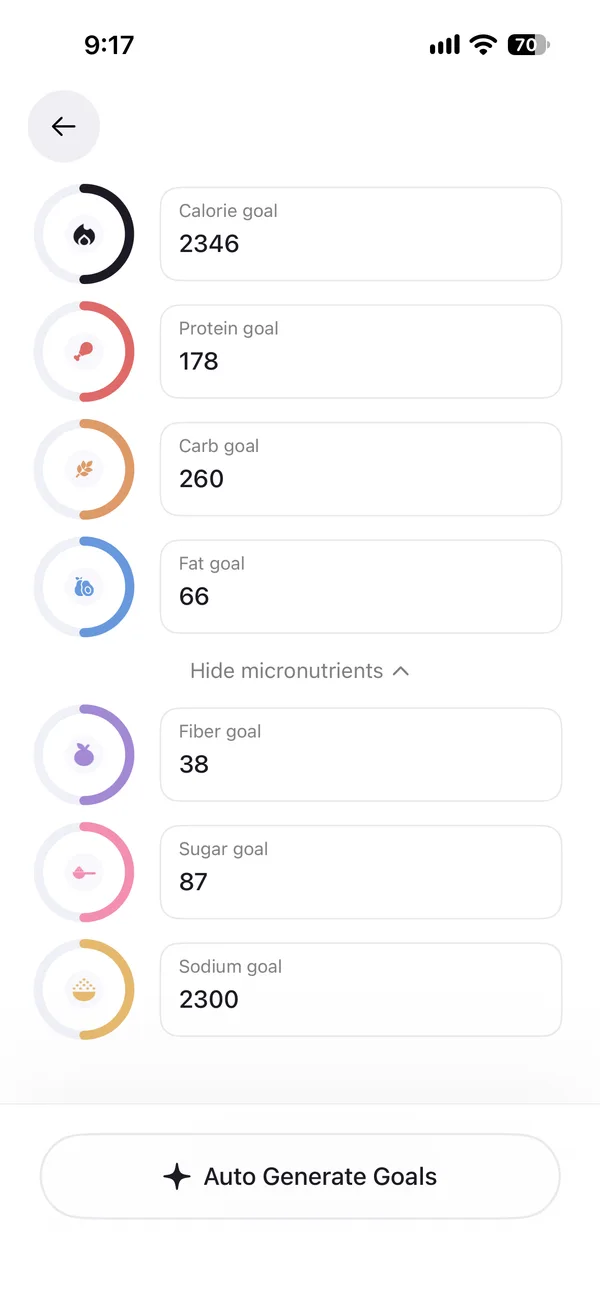
Cal AI tracks calories, the three macros, fiber, sugar and sodium, each with a goal. Seven numbers against eighty-four. That is not a flaw if seven is what you want, and for most people counting calories it is.
The food data behind them differs as much. Cal AI searches MyFitnessPal’s database, which came with it when MyFitnessPal bought the app in March 2026. That database is far larger than Cronometer’s and much of it came from people entering their own foods, so you pick the right entry rather than trusting the first one.
Logging a meal
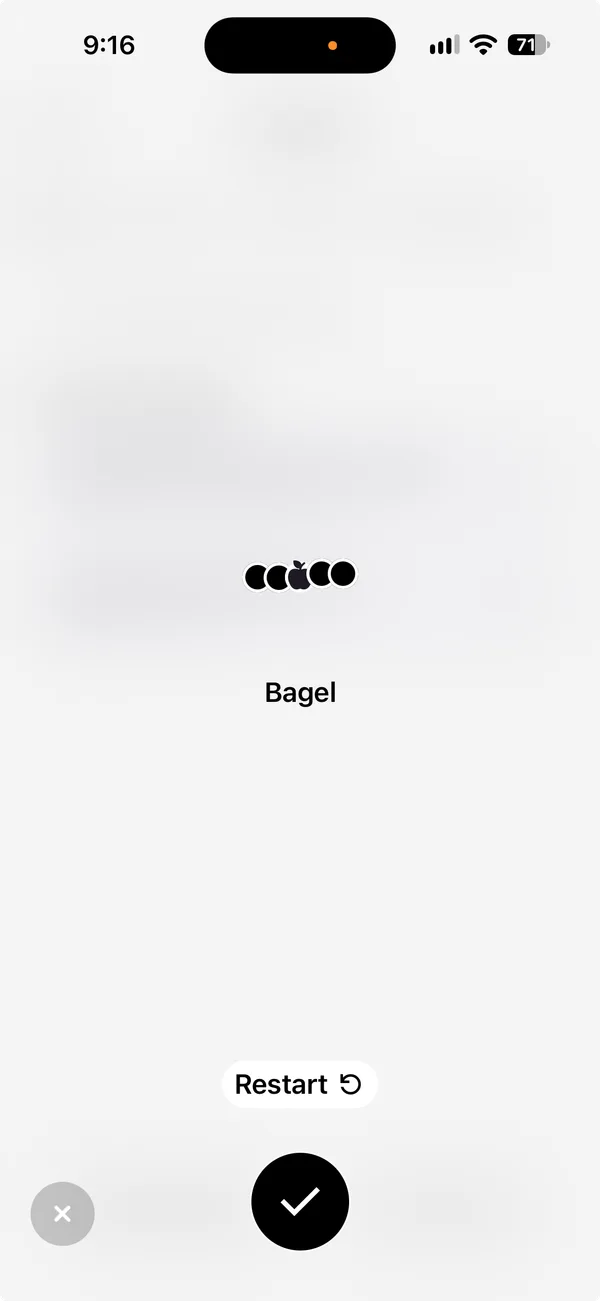
Cal AI is built for speed. Photo logging is part of the app and reads calories and macros straight from the picture. Voice logging and a barcode scanner come with it. Nothing waits behind a higher tier.
Cronometer’s barcode scanner is free. Its Photo Log and Voice Logging need Gold, and both suggest foods from its own database for you to choose between rather than returning a number on their own.
So the fast path costs nothing extra in Cal AI and costs Gold in Cronometer. The accurate path runs the other way.
How your target gets set
Neither app works out what you burn and moves your numbers for you, so both leave the arithmetic with you, in different ways.
Cronometer lets you set your own target for each macro and nutrient on the free plan, and they stay where you put them. Gold’s macro scheduler varies those targets by day of the week, which suits training days against rest days.
Cal AI writes a target from a short quiz when you start. You can retake that quiz or type the numbers in yourself, as our Cal AI review shows, and it then holds still.
The practical difference is who notices a stall. Cronometer expects you to change the number because you decided to. Cal AI expects the same, with less in front of you to decide from.
Price and free plans
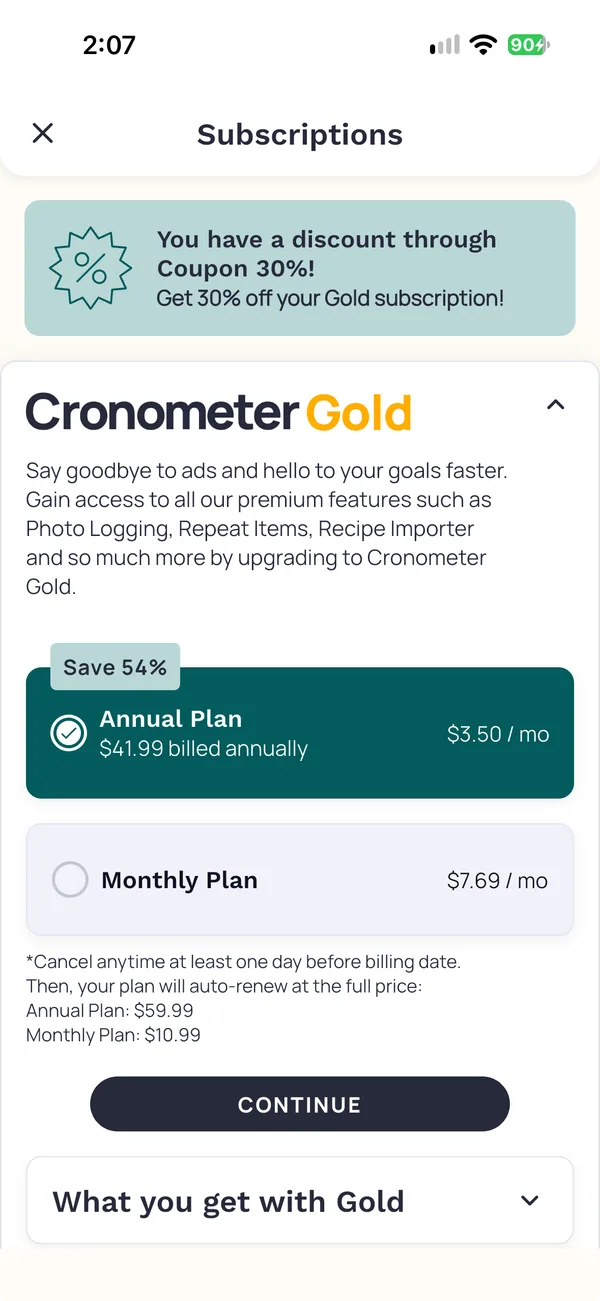
Cronometer’s free plan, Basic, is a real one. It includes the barcode scanner, up to 84 nutrients, custom targets and data export, and it shows ads. Gold removes the ads and adds photo and voice logging, longer reports and a macro scheduler. In the US, Gold costs $59.99 a year, or $10.99 a month, as of October 2026.
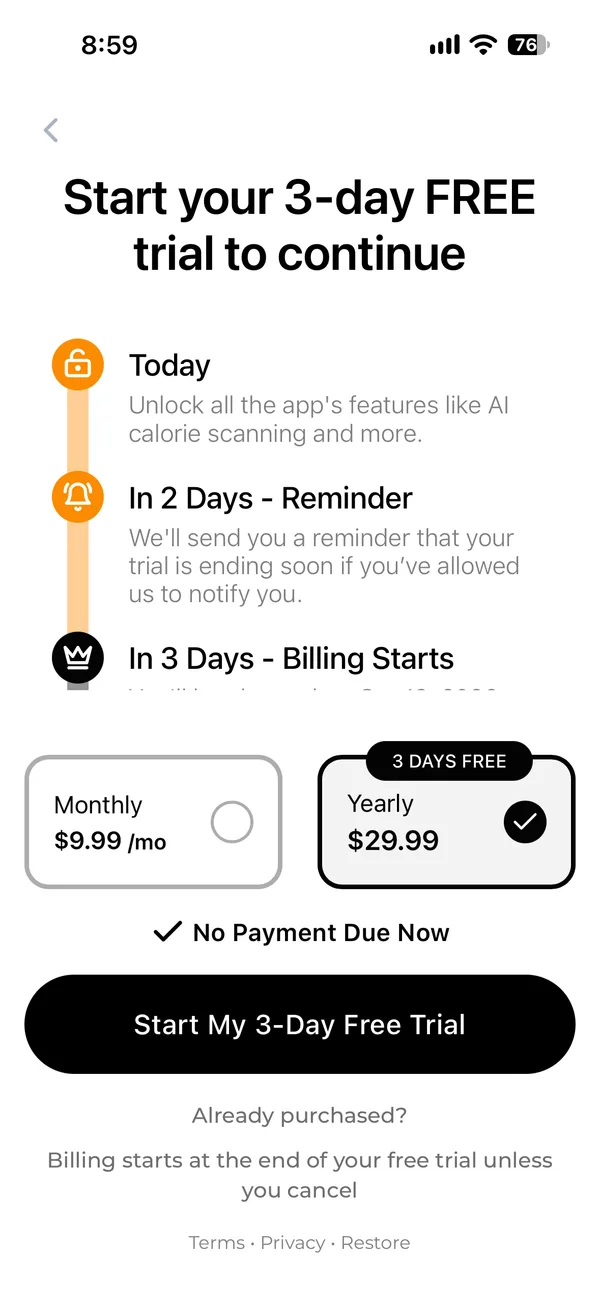
Cal AI has no free plan and a 3-day trial. It does not publish prices and tests them often, so the comparison above shows the ranges its App Store and Google Play listings give rather than a single figure.
For anyone deciding on cost alone, one of these lets you track properly without paying and the other does not let you track at all without paying.
Trackers, health readings and the web
Cronometer syncs with activity trackers on the free plan, among them Garmin, Oura, WHOOP and Fitbit, as well as Apple Health and Health Connect. It runs in a browser too.
It also keeps health readings beside your food. You can add biometrics such as blood glucose and ketones, or import them from a Dexcom monitor or a Keto-Mojo meter. Gold adds a fasting timer and more charts. If you watch your blood sugar, that puts the readings next to the meals that caused them.
Cal AI runs on iPhone, Apple Watch and Android, with no web app and none of that.
Getting your data out
Cronometer exports CSV files on any plan, including the free one. Cal AI produces a PDF summary report. A PDF reads well and moves badly, so if you might switch later, that matters more than it sounds. Neither app imports a food log from another tracker, so either way you start again.
Where Fit Shapes fits
The split here is detail against speed, and each app charges you for the other one. Cronometer gives you the nutrients free and asks for Gold before a photo does the work. Cal AI gives you the photo and tracks seven things.
Fit Shapes puts both in one plan. A photo logs the meal at once, and photo, voice and barcode logging all come with the subscription rather than a tier above it. It tracks vitamins and minerals as well as macros, and Adaptive Targets proposes new calories and macros each week from what you eat and weigh, which neither of these does. It imports your data from Cronometer, and you can export it any time, including after a subscription ends.
The catch is the free plan. Cronometer has one that genuinely works, with barcode scanning and detailed nutrients, and Fit Shapes has none. Cronometer also runs in a browser, syncs with more trackers, and holds blood glucose and ketone readings beside your food, and Fit Shapes does none of those. Android is still in beta here, while both of these ship on it today.
Questions
Is Cronometer better than Cal AI?
They are built for different people. Cronometer suits you if you want nutrient detail, a free plan or a web app. Cal AI suits you if you want a photo to do the work and you only count calories and macros.
Which one can I use without paying?
Cronometer. Its free plan, Basic, includes the barcode scanner, up to 84 nutrients and data export, and shows ads. Cal AI has no free plan, only a 3-day trial.
Which tracks more nutrients?
Cronometer, by a wide margin. It tracks up to 84 on the free plan and more on Gold, each with a target. Cal AI tracks calories, macros, fiber, sugar and sodium.
Which food database is better?
They are better at different things. Cronometer’s foods come from lab-analysed sources and it verifies what people submit. Cal AI searches MyFitnessPal’s database, which is far larger and largely user-entered, so you choose the right entry.
Can I log by photo without paying extra?
In Cal AI, yes, once you subscribe at all. In Cronometer, photo and voice logging need Gold, though its barcode scanner is free.
Can I use either on a computer?
Only Cronometer, which runs in a browser as well as on iPhone and Android. Cal AI runs on iPhone, Apple Watch and Android.
How do I get my data out?
Cronometer exports CSV files on any plan. Cal AI produces a PDF summary report, which reads well but does not move into another app.
Sources
16 sources
- Cronometer, cronometer.com/, checked October 14, 2026
- Cronometer, cronometer.com/gold/, checked October 14, 2026
- Cronometer, fitshapes.com/compare/cronometer-review/gold.webp, checked October 17, 2026
- Cronometer, cronometer.com/blog/photo-logging/, checked October 14, 2026
- Cronometer, support.cronometer.com/hc/en-us/articles/47549391461780-Mobile-Voice-Logging, checked October 15, 2026
- Cronometer, cronometer.com/blog/how-to-use-the-barcode-scanner/, checked October 14, 2026
- Cronometer, support.cronometer.com/hc/en-us/articles/360018760151-Account-Settings, checked October 14, 2026
- Cronometer, cronometer.com/features/accurate-databases.html, checked October 14, 2026
- Cal AI, calai.app/faq, checked October 16, 2026
- Cal AI, calai.app/, checked October 16, 2026
- Cal AI, apps.apple.com/us/app/cal-ai-calorie-tracker/id6480417616, checked October 16, 2026
- Cal AI, play.google.com/store/apps/details?id=com.viraldevelopment.calai, checked October 16, 2026
- Cal AI, fitshapes.com/compare/cal-ai-review/paywall.webp, checked October 16, 2026
- Cal AI, fitshapes.com/compare/cal-ai-review/voice.webp, checked October 16, 2026
- Cal AI, fitshapes.com/compare/cal-ai-review/edit-goals.webp, checked October 16, 2026
- Cal AI, techcrunch.com/2026/03/02/myfitnesspal-has-acquired-cal-ai-the-viral-calorie-app-built-by-teens/, checked October 16, 2026